1
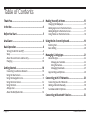
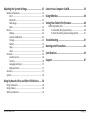
Table of Contents
Thank You...................................................................... 4
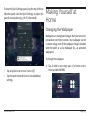
Making Yourself at Home............................................15
Before You Start............................................................ 5
Changing the Wallpaper...............................................................15
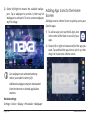
Adding App Icons to the Home Screen.......................................16
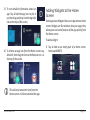
Adding Widgets to the Home Screen..........................................17
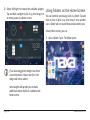
Using Folders on the Home Screen.............................................18
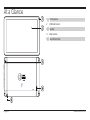
At a Glance..................................................................... 6
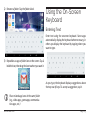
Using the On-Screen Keyboard...................................19
In the Box....................................................................... 4
Basic Operation............................................................. 8
Turning the Unit On and Off ......................................................... 8
Sleep ................................................................................................. 8
About the Lock Screen and Security........................................... 9
Charging......................................................................................... 10
Getting Started.............................................................10
Connecting to a Wireless Network............................................ 10
Using the Touchscreen................................................................. 10
Using the Navigation Icons........................................................... 11
Using the Home Screen.................................................................12
Using the Dock...............................................................................13
All Apps Icon...................................................................................13
About the Notification Bar.......................................................... 14
Page 2
Entering Text..................................................................................19
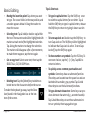
Basic Editing..................................................................................20
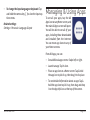
Managing & Using Apps................................................21
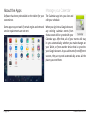
About the Apps.............................................................................. 22
Manage your Calendar......................................................... 22
Using the Camera.................................................................. 23
Managing Downloads........................................................... 25
Apps Settings and Options.......................................................... 26
Connecting to Wi-Fi Networks................................... 29
Connecting to a Wi-Fi Network................................................. 29
Adding a Network Manually.......................................................30
Set Advanced Wi-Fi Options.......................................................30
Connecting to Bluetooth® Devices............................. 32
Naxa Electronics