1
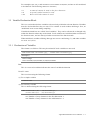
Contents
Introduction
1. What Is an Agent Based Simulator? ........................................................... 0-2
2. Operating Environment ............................................................................. 0-2
3. Installing and Uninstalling ......................................................................... 0-2
4. Basic Concepts ......................................................................................... 0-2
5. How This Manual Is Organized .................................................................. 0-3
6. Typographical Conventions Used in This Manual ....................................... 0-4
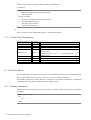
An Introduction to Agent Based Simulator
1.1 Running the Samples ............................................................................... 1-2
1.1.1 Segregation Model ................................................................................................ 1-2
1.1.2 Sugarscape Model ................................................................................................ 1-4
1.2 Making Changes ...................................................................................... 1-6
1.2.1 Segregation Model ... A Simulation of Segregated Living Among Turtles ........... 1-6
1.2.2 Sugarscape Model ... A Simulation of an Anthill .................................................. 1-7
1.3 Constructing a Simple Model .................................................................. 1-8
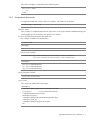
1.3.1 The ABS Programming Environment ................................................................. 1-10
1.3.2 Adding a Component (Space) ............................................................................. 1-12
1.3.3 Adding a Component (Agent) ............................................................................. 1-12
1.3.4 Adding Output Settings ....................................................................................... 1-12
1.3.5 Running It (A Turtle that Does Nothing) ............................................................ 1-14
1.3.6 Opening the Rule Editor ...................................................................................... 1-15
1.3.7 Writing the First Rule .......................................................................................... 1-15
1.3.8 Running It (A Bullet Turtle that Disappears from the Map) .............................. 1-16
1.3.9 Making an Agent that Moves Back and Forth Over the Map ........................... 1-16
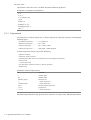
1.3.10 Adding More Turtle Agents ............................................................................... 1-18
1.3.11 If the Simulations Doesn't Run Correctly ......................................................... 1-19
1.3.12 Conclusion ......................................................................................................... 1-21
1.3.13 Terms and Techniques ...................................................................................... 1-21
1.3.14 Let's Review ..................................................................................................... 1-21
1.4 Making Modifications for a Slightly More Complex Model ................. 1-22
1.4.1 Resetting the X and Y Variables to Their Original State .................................... 1-22
1.4.2 Using World ........................................................................................................ 1-22
1.4.3 For Variables Used Only in Rules, First Define the Type .................................. 1-23
1.4.4 Loop Control ....................................................................................................... 1-23
1.4.5 Determining the Number of Created Agents ...................................................... 1-23
1.4.6 How to Specify Components .............................................................................. 1-24