1
Contents
Getting started-------------------------------------------------------------------------------------- 3
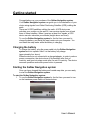
Charging the battery----------------------------------------------------------------------------- 3
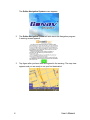
Starting the GoNav Navigation system ----------------------------------------------------- 3
Using the GoNav Navigation system buttons --------------------------------------------- 5
Getting a GPS signal ---------------------------------------------------------------------------- 5
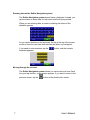
Entering data on the GoNav Navigation system ----------------------------------------- 7
Moving through the screens ------------------------------------------------------------------- 7
Working with the map---------------------------------------------------------------------------- 8
Map view ------------------------------------------------------------------------------------------- 8
Maneuver detail----------------------------------------------------------------------------------- 8
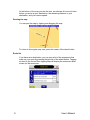
Panning the map --------------------------------------------------------------------------------- 9
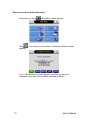
Route list ------------------------------------------------------------------------------------------- 9
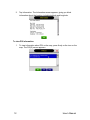
Location and POI information ----------------------------------------------------------------- 11
Planning your route------------------------------------------------------------------------------- 13
Setting a single destination -------------------------------------------------------------------- 13
Using an address as a destination----------------------------------------------------------- 13
Using an intersection as a destination ------------------------------------------------------ 18
Using a Point of Interest (POI) as a destination ------------------------------------------ 24
Using a Favorite destination as a destination--------------------------------------------- 30
Using a Recent destination as a destination ---------------------------------------------- 30
Using a City Center as a destination -------------------------------------------------------- 31
Adding detours and stopovers ---------------------------------------------------------------- 35
Detours --------------------------------------------------------------------------------------------- 35
Stopovers ------------------------------------------------------------------------------------------ 36
Managing your favorites list ------------------------------------------------------------------- 38
Setting your options------------------------------------------------------------------------------ 40
Display options ---------------------------------------------------------------------------Route options ----------------------------------------------------------------------------Volume ------------------------------------------------------------------------------------Localization --------------------------------------------------------------------------------
40
43
45
47