1
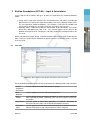
Tension Piles (EC7-NL) – Input & Calculations
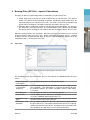
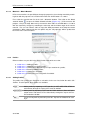
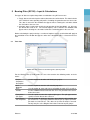
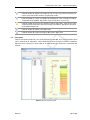
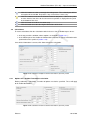
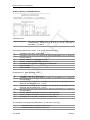
Use this button to cut a selected part of the table.
Use this button to copy a selected part of the table.
Use this button to paste a selected part in the table.
DR
AF
T
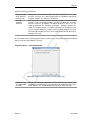
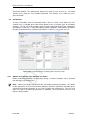
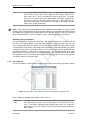
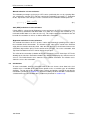
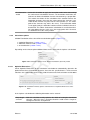
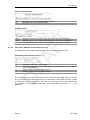
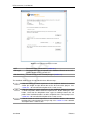
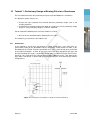
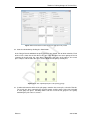
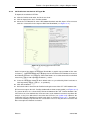
Click the fourth button
in Pile Properties window to open a window where a grid of pile
positions can be specified.
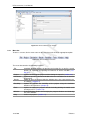
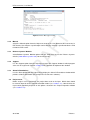
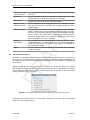
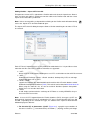
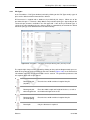
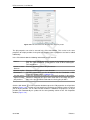
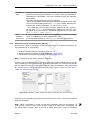
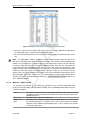
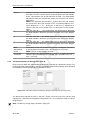
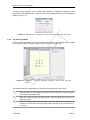
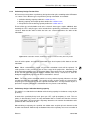
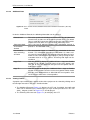
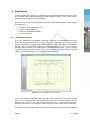
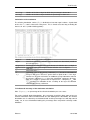
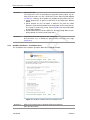
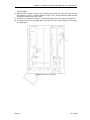
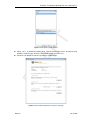
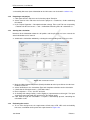
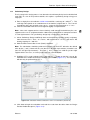
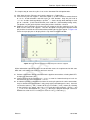
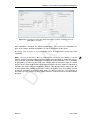
Figure 6.13: Pile Grid window for Tension Piles (EC7-NL) model
The pile properties can also be entered in the Pile Grid window. This results in the same
properties for all pile positions in the grid, but, if required, these properties can later be edited
individually.
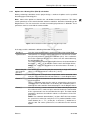
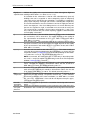
In this window the following information can be entered:
Start at
Centre
to
centre
distance
Number of
piles
Parameters
Use pile grid
to
replace
current pile
positions
Enter the start coordinates for the center of the bottom-left pile in the grid.
The same coordinate system must be used as when entering the CPT coordinates.
Enter the distance between the centers of adjacent piles.
Enter the number of piles in each direction.
For more information see the Pile Properties (tension piles) window above.
Enable this check box to replace the existing pile positions in the project
with those defined by the grid. If this check box is left empty, the positions
in the pile grid will be added to the existing pile positions.
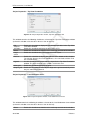
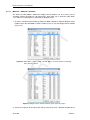
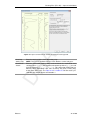
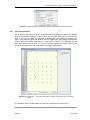
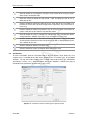
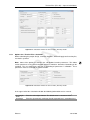
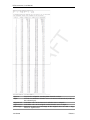
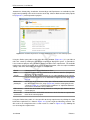
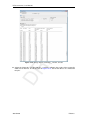
Click the fifth button
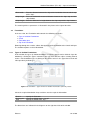
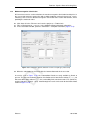
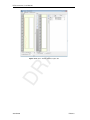
in Pile Properties window to open the Edit properties for all positions
window (Figure 6.14) in which the Pile head level and Maximum/Minimum tension loads on
Deltares
103 of 280