1
Contents
Chapter 1 – Introduction ............................................................................................... 5
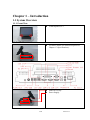
1.1 System Overview .............................................................................................. 5
1.1.1 Front View .............................................................................................. 5
1.1.2 Side View ................................................................................................ 5
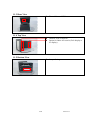
1.1.3 Rear View ............................................................................................... 6
1.1.4 Top View ................................................................................................. 6
1.1.5 Bottom View ........................................................................................... 6
1.2 Specification ...................................................................................................... 7
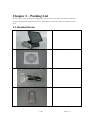
Chapter 2 – Packing List...............................................................................................11
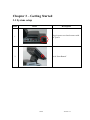
Chapter 3 – Getting Started......................................................................................... 16
3.1 System setup.................................................................................................... 16
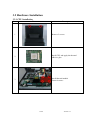
3.2 Hardware Installation .................................................................................... 17
3.2.1 CPU Installation .................................................................................. 17
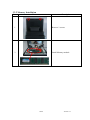
3.2.2 Memory Installation ............................................................................ 18
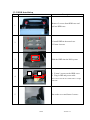
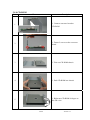
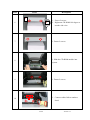
3.2.3 HDD Installation.................................................................................. 19
3.2.4 CF Card Installation............................................................................ 20
3.2.5 OS Installation ..................................................................................... 20
3.3 Software Installation ...................................................................................... 21
3.3.1 Intel Chipset Driver............................................................................. 21
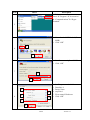
3.3.2 Graphic Driver..................................................................................... 22
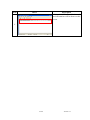
3.3.3 Touch Panel Driver.............................................................................. 24
3.3.4 Lan Driver ............................................................................................ 26
3.3.5 Audio Driver......................................................................................... 27
3.4 Optional Items Installation............................................................................ 29
3.4.1 MSR / RFID ......................................................................................... 29
3.4.2 MSR / Smart Card............................................................................... 32
3.4.3 MSR / iButton ...................................................................................... 39
3.4.4 CD-ROM .............................................................................................. 42
3.4.5 Pole Display-VFD ................................................................................ 44
3.4.6 2nd Display ............................................................................................ 50
3.4.7 Mini PCI Wireless LAN ...................................................................... 55
Chapter 4 – BIOS setup............................................................................................ 60
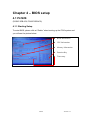
4.1 P4 M/B ............................................................................................................ 60
4.1.1 Starting Setup ................................................................................... 60
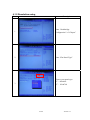
4.1.2 Resolution setup.............................................................................. 61
Chapter 5 – M/B Information................................................................................... 64
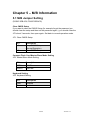
5.1 M/B Jumper Setting .................................................................................... 64
5.2 COM & RJ-11 Jumper Settings................................................................ 65
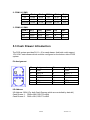
5.3 Cash Drawer Introduction......................................................................... 66
Chapter 6 – Reversion History ............................................................................... 68
3/68
Version 1.1