1
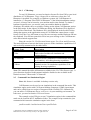
The formula for the number of steps (N_STEPS) is accurate if entities only are
logged. In case processes are logged as well, each simulation step in which a process
state changes is added to the log. This means that the log may include many additional
time points besides the time points defined by the log interval. In such a case the
number of logged steps can be greater than the value given by the formula.
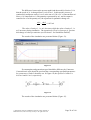
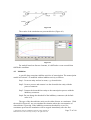
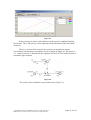
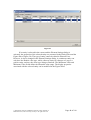
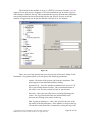
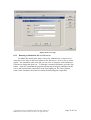
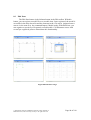
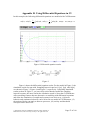
Figure 76
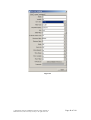
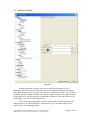
There are several log options that you can set in the Preferences dialog. In the
Simulation | Log Options panel, you can specify the following parameters:
-
Author - the name of the person who runs the simulation. This
name appears in the Simulation History dialog.
-
Economy Log – specifies whether to minimize the size of a CIL
file by not writing identical values. The recommended state of
this value is on. It can be turned off only in special cases.
-
Precision – this value specifies how to round up floating point
values. The Log Precision defines the minimal difference
between two floating point values in the log.
-
Max Log Steps in Memory – this value specifies the size of the
log buffer in the RAM memory. If the number of steps in the log
exceeds this value the buffer is emptied by writing the log to the
© 2002-2008 GNI Ltd. and Human Genome Center, Institute of
Medical Science, The University of Tokyo. All rights reserved.
Page 69 of 100