1
1500 SYSTEM CALIBRATION
AND SETUP
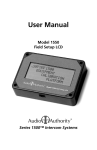
The Model 1550 is a liquid crystal display
that shows the setup menus and settings
for Series 1500 Intercom Systems. The
entire system can be calibrated from one
Counter Station (except for Model 1533*).
Connect the 1550 Field Setup Display to
the RJ45 jack on the underside of any live
Counter Station. (The jack is at an angle.)
Upon connection, the 1550 displays
“Series 1500 EQUIPMENT CALIBRATION
PLATFORM”.
SERIES
1
EQUIP 500
ME
CALIBRNT
AT
PLATF ION
ORM
CAT 5E/6
RECESSED
JACK
(ANGLED)
• Hold the SETUP key on the Counter
Station for one second to enter Setup
Mode. The 1550 displays the top level
of the menu shown on page 4. • To navigate the menus, use the
VOLUME UP and VOLUME DOWN
keys to move the cursor. 1500A COUNTER STATION (UNDERSIDE)
WARNINGS
•
•
•
•
•
•
•
Read these instructions before installing or using this product.
To reduce the risk of fire or electric shock, do not expose this unit to rain or moisture.
This product must be installed by qualified personnel.
Do not open the cover—there are no user-serviceable parts inside.
Do not expose this unit to excessive heat.
Install only in dry, indoor locations.
Clean the unit only with a dry or slightly dampened soft cloth.
LIABILITY STATEMENT
Every effort has been made to ensure that this product is free of defects. Audio
Authority cannot be held liable for the use of this hardware or any direct or indirect
consequential damages arising from its use. It is the responsibility of the user of the
hardware to check that it is suitable for his/her requirements and that it is installed
correctly. All rights are reserved. No parts of this manual may be reproduced or
transmitted by any form or means electronic or mechanical, including photocopying,
recording or by any information storage or retrieval system without the written consent
of the publisher.
Audio Authority reserves the right to revise any of its hardware and software following
its policy to modify and/or improve its products where necessary or desirable.
Audio Authority and the Double-A Symbol are registered trademarks of Audio Authority
Corp. Copyright June, 2007. All third party trademarks and copyrights are recognized.
2