1
BEST User Manual v4.0.2
Import Raster Image
Description
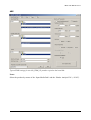
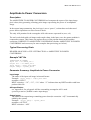
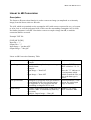
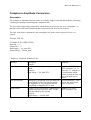
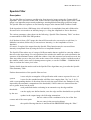
Using the IMPORT RASTER IMAGE function, it is possible to convert external images not in
the CEOS or MPHSPH format (but having similar pixel size) to the BEST internal file format.
Due to the fact that the function operates on pure image data, no annotation is inserted into the
output internal format image. Therefore, the number of BEST functions which can process the
output from the IMPORT RASTER IMAGE function is limited.
Often the external images will include both a file header section (once for the image) and a line
header (for each line). The raster import function is able to skip both header sorts to extract an
output dataset containing only the image pixels (instead of a mixture of pixels and header bytes).
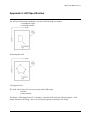
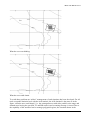
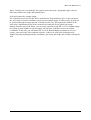
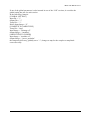
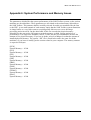
Even if no direct AOI can be used, it is possible to define a rectangular AOI using the following
parameters:
•
•
•
•
File Header Bytes
Line Header Bytes
Number of Rows
Number of Columns
This function, in allowing direct access to the media, can be easily used to extract images with a
corrupted or missing header.
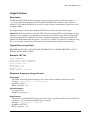
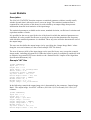
Example "INI" file
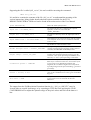
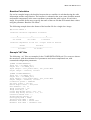
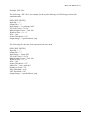
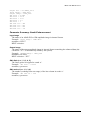
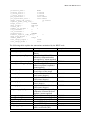
The following “.ini” file is an example for a real raster image conversion (the parameters are
those used to convert a 500 rows by 500 columns portion of a CEOS PRI image file from an
Exabyte tape unit on a Unix machine):
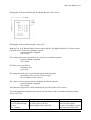
[IMPORT RASTER]
Input Dir = "./"
Output Dir = "./"
Input Media Type = "tape"
Input Image = "/dev/rst1"
Media File Skip = 2
Data Type = "2I"
File Header Bytes = 16012
Line Header Bytes = 12
Image Record Length = 16012
Number of Rows = 500
Number of Columns = 500
Swap Bytes = "N"
Output Image = "imported_img"
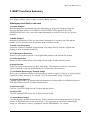
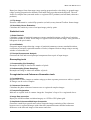
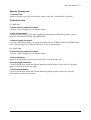
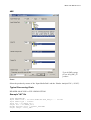
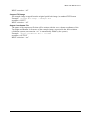
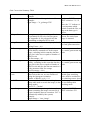
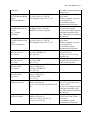
Parameter Summary: Raster Image Import
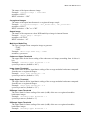
Input Media Type
The type of media on which the raster image is held, chosen between:
- “disk” (hard disk)
- “tape” (Exabyte)
52