1
Running the demonstration
UM1687
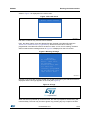
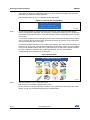
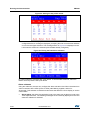
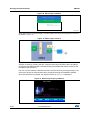
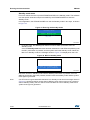
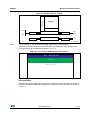
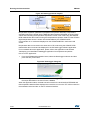
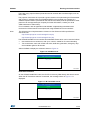
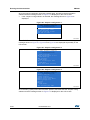
When a protocol has been selected from the list, the adequate submenu shown in Figure 72
is displayed.
Figure 72. IR transmitter command menu
670%(9$/
6,5&,QIUD5HG'HPR
&KDQQHO'RZQ
79
7RH[LWSUHVV83
069
The user can manipulate the InfraRed transmitter features using the joystick LEFT, RIGHT,
DOWN, UP and SEL buttons:
•
press the joystick DOWN button to switch between device type and command.
•
press the joystick LEFT button to go to the previously defined device/command.
•
press the joystick RIGHT button to go to the next defined device/command.
•
press the joystick SEL button to send the selected device command code.
When the joystick UP button is pressed, the infrared transmitter demo is exited and the
menu shown in Figure 71 is displayed.
Infrared receiver
TSOP34836 IR receiver is connected to PB3 of STM32F072VBT6 on the STM32F072BEVAL board.
At the receiving end, a receiver detects the light pulses, which are processed to
retrieve/decode the information they contain.
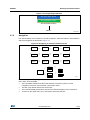
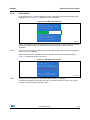
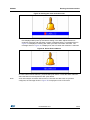
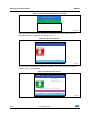
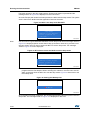
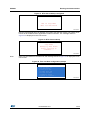
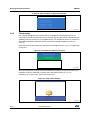
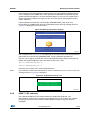
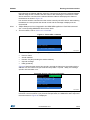
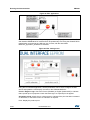
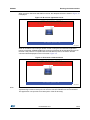
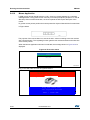
When the IR Receiver submenu is selected, the message shown in Figure 73 is displayed.
Figure 73. IR receiver menu
,55HFHLYHU
6,5&
5&
5HWXUQ
06Y9
48/58
DocID025466 Rev 1