1
Content
1
Introduction
1.1
1.2
2
2.3
2.4
3
3.2
3.3
3.4
5
6
31
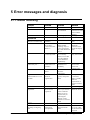
General error conditions.....................................................................................................31
Error messages as responses to AT commands..............................................................32
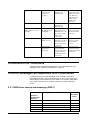
5.2.1 ISDN error causes and meanings (DSS1)............................................................32
5.2.2 CAPI error causes and meanings..........................................................................34
Appendix
6.1
6.2
29
Updating the BlueTA+ firmware.......................................................................................29
Updating the BlueTA+ firmware via Bluetooth.............................................................29
Updating the BlueTA+ firmware via ISDN.....................................................................30
Error messages and diagnosis
5.1
5.2
11
Configuring the BlueTA+ Bluetooth interface...............................................................11
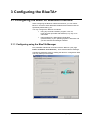
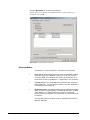
3.1.1 Configuring using the BlueTA+Manager............................................................11
3.1.2 Configuring using a terminal emulation and AT commands...........................15
Configuring the BlueTA+ ISDN interface.......................................................................16
3.2.1 Configuring using the BlueTA+Manager............................................................16
3.2.2 Configuring using a terminal emulation and AT commands...........................18
AT commands ......................................................................................................................18
3.3.1 Local configuration (Bluetooth)...........................................................................18
3.3.2 Remote configuration (ISDN) ...............................................................................19
3.3.3 Guidelines for entering AT commands................................................................19
3.3.4 AT commands for Bluetooth.................................................................................20
3.3.5 AT commands for the ISDN interface .................................................................21
3.3.6 AT result codes ........................................................................................................26
ISDN remote configuration................................................................................................27
3.4.1 Guidelines for BlueTA+Configuration commands ...........................................27
3.4.2 BlueTA+Configuration commands......................................................................28
Firmware updates
4.1
4.2
4.3
8
Connecting the device...........................................................................................................8
Installing the software ...........................................................................................................8
2.2.1 Installing the software for Windows 98/ME.........................................................8
2.2.2 Installing the software for Windows 2000/XP......................................................9
Dial-Up Networking: New Data Transfer Device..........................................................10
2.3.1 Configuring new modem entries for existing Dial-up connections................10
2.3.2 New Dial-Up connection .......................................................................................10
Uninstalling the Software ...................................................................................................10
Configuring the BlueTA+
3.1
4
Product description................................................................................................................3
1.1.1 Prerequisites ...............................................................................................................3
1.1.2 Parts included.............................................................................................................4
1.1.3 Safety, License...........................................................................................................4
Working with the BlueTA+..................................................................................................5
1.2.1 Getting started............................................................................................................5
1.2.2 Establishing a Bluetooth connection to the BlueTA+.........................................5
1.2.3 LEDs and pushbutton ...............................................................................................6
Installation
2.1
2.2
3
36
Technical specifications .....................................................................................................36
ISDN Pin assignments ........................................................................................................36
7
Glossary
37
8
Index
41
Bluetooth ISDN Terminal Adapter BlueTA+
Content • i