1
Chapter 1 — About Cloning
Transfer Files to the Client Computers
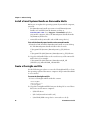
You can create a CloningEx.xml file to specify files you want to
transfer from the master computer to one or more client computers.
To transfer files using a CloningEx.xml file
1 Copy the files you want to transfer to your master computer.
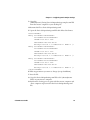
2 In a text editor, create a CloningEx.xml file. The XML specifies the
source file location on the master computer and the destination
on the client computers. For example:
<CloningEx>
<File Source="\SD Card\ExampleFile1.txt"
Dest="\temp\ExampleFile1.txt" HardwareVersion="*"/>
<File Source="\SD Card\ExampleFile2.bin"
Dest="\temp\ExampleFile2.bin" HardwareVersion="*"/>
*
*
*
<File Source="\SD Card\ExampleFileN.dat"
Dest="\temp\ExampleFileN.dat" HardwareVersion="*"/>
</CloningEx>
3 Copy the CloningEx.xml file from your desktop PC to one of these
directories on the master computer:
•
\Flash File Store
•
\SD Card (internal microSD card)
•
\Hard Disk (USB storage device connected to a dock)
4 If using a microSD card, install the card in the master computer. If
using a USB storage device, insert it into a dock and dock the
master computer.
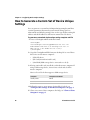
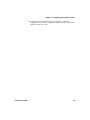
Here is a list of docks that support a USB storage device:
CloneNGo User Guide
Computer
Computer Dock Model
CK3R/CK3X
AD20
70 Series
DX1
13