1
4 CPU Unit Initialization
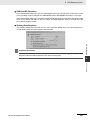
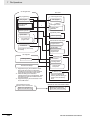
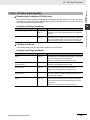
z CPU Bus Unit Setup Area
If specific CPU Bus Units, such as Ethernet Units, Controller Link Units, or FL-net Units are used,
the particular settings for each of those Units must be made and transferred to the CPU Unit.
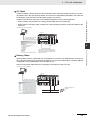
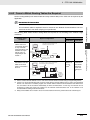
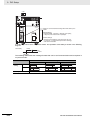
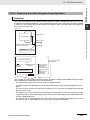
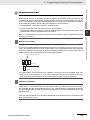
Example: Using an Ethernet Unit
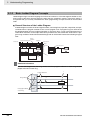
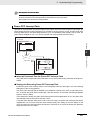
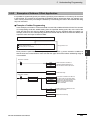
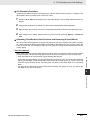
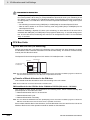
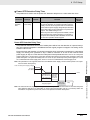
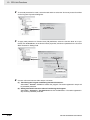
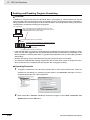
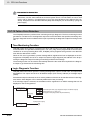
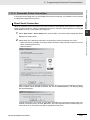
Make the Ethernet settings using the CX-Programmer.
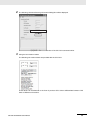
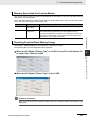
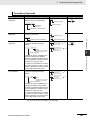
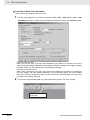
To make Ethernet settings, right-click the Ethernet Unit in the I/O tables of the CX-Programmer, and
then select Edit CPU Bus Unit Settings.
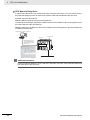
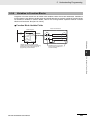
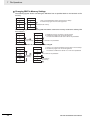
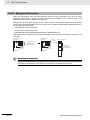
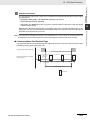
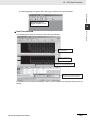
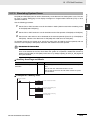
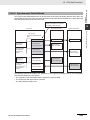
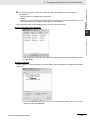
Make the settings for the Ethernet Unit in the I/O tables of the CX-Programmer, and then transfer the
I/O tables to the CPU Unit.
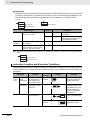
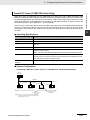
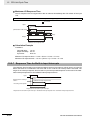
Transferring from the CX-Programmer
Ethernet Unit
CPU Unit
Make settings for the Unit
in the I/O tables and then
transfer the settings to the
Ethernet Unit.
SYSMAC
CJ2H
CPU64-EIP
RUN
ERR/ALM
PROGRAMMABLE
CONTROLLER
INH
PRPHL
COMM
BKUP
MS
NS
COMM
100M
ETN11
RUN
ERC
SD1
RD1
RDY
ERH
SD2
RD2
TER1
10M
UNIT
NO.
OPEN
NODE
NO.
MCPWR
BUSY
PERIPHERAL
Ethernet setup
PORT
ETHRNET
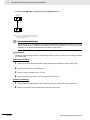
Additional Information
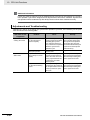
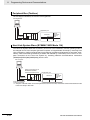
If user-set data link tables are to be used with a Controller Link Unit, set the data link tables and
then save them in the CPU Unit.
4-6
CJ2 CPU Unit Software User’s Manual