1
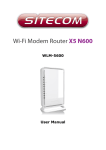
User Manual
TABLE OF CONTENTS
1
KEY FEATURES ....................................................................................................................... 4
2
PACKAGE CONTENTS ........................................................................................................... 5
3
CAUTIONS ................................................................................................................................ 6
4
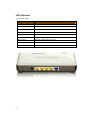
PRODUCT LAYOUT ................................................................................................................ 7
5
NETWORK + SYSTEM REQUIREMENTS .........................................................................10
6
WLR-5000 PLACEMENT .......................................................................................................10
7
SETUP LAN, WAN ................................................................................................................... 11
8
PC NETWORK ADAPTER SETUP .......................................................................................12
9
BRING UP THE WLR-5000.....................................................................................................16
10
INITIAL SETUP WLR-5000 ....................................................................................................16
11
CONFIGURATION WIZARD ................................................................................................25
12
WIRELESS SETTINGS ...........................................................................................................27
13
FIREWALL SETTINGS...........................................................................................................37
14
ADVANCED SETTINGS .........................................................................................................43
15
TOOLBOX SETTINGS............................................................................................................52
Revision 1.2
© Sitecom Europe BV 2011
Note: All the information contained in this manual was correct at the time of
publication.
However, as our engineers are always updating and improving the product, your
device’s software may have a slightly different appearance or modified
functionality than presented in this manual.