1
Chapter 2
MATRIXx Publications, Help, and Customer Support
press <Return>. Usually this involves highlighting some text, using
mouse-clicks or menu options to copy the text, and then pasting the text
to the command area of the Xmath Commands window.
Loss of highlighting is a frequent side-effect of color map conflicts. Netscape’s
default highlight color in most environments is a pale yellow. If this color is not available
it may seem that highlighting is broken when you attempt to highlight text on a white page.
In most cases you can assume the highlighting is taking place and carry out your copy and
paste operation successfully.
Note
Some help examples consist of Xmath command and function definitions
used in conjunction with calls issued from the command area. To test
examples where Xmath commands and functions are defined:
•
Use a text editor to create a new Xmath command or function file.
•
Copy and save the example command or function definition script to
the file.
•
Name the file commandName.msc or functionName.msf and save it
to a folder included in the lookup path.
•
Execute the commands that call the newly defined command or
function, by copying them into the Xmath command area.
Using Context-Sensitive Help
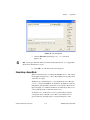
The MATRIXx Help facility is context sensitive. Clicking the Help button
or the ? toolbar button from a specific window or dialog launches Internet
Explorer to provide you with information specific to that topic.
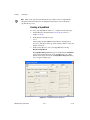
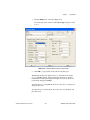
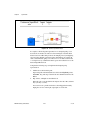
For example, to get help on the SuperBlock Editor, go to the Editor and
select Help»Topics, or click the ? toolbar button. The Help for the
SuperBlock Editor appears. To get help on a given block, open its block
dialog—select the block, and then press <Return>—and click the Help
button. The Help for the active block is displayed.
MATRIXx Release Information
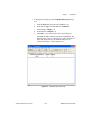
For current MATRIXx release information, refer to the MATRIXx 7.1
Release Notes:
•
Online books—Click Release Notes on the document MATRIXx
Bookshelf.
•
Online Help—Select the topic Release Info»Release Notes.
© National Instruments Corporation
2-15
MATRIXx Getting Started Guide