1
Getting Started with Embedded Software
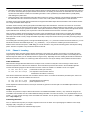
2. In the left pane, expand the C Compiler entry.
This entry contains several pages where you can specify C compiler settings.
3. In the right pane, set the options to the values you want. Do this for all pages.
4. Repeat steps 2 and 3 for the other tools like assembler and linker.
5. Click OK to confirm the new settings.
Based on the embedded project options, Altium Designer creates a so−called makefile which it uses to build your embedded
application.
On the Miscellaneous page of each tool entry, the Command line options field shows how your settings are translated
to command line options.
Setting options for an individual document
1. In the Projects panel, right−click on hello.c and select Document Options.
Alternatively: select Project » Document Options.
The Options for Document dialog appears.
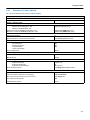
Steps 2 to 5 are the same as the steps for setting project wide options. The Files With Options tab in the Options for
Embedded Project dialog shows which files have deviating settings. If you right−click on a file in this tab, a menu provides you
with functions to copy options quickly from and to other individual files.
1.5
Building your Embedded Application
You are now ready to build your embedded application.
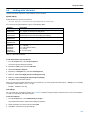
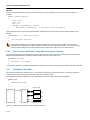
1. Select Project » Compile Embedded Project GettingStarted.PrjEmb or click on the
button.
The TASKING program builder compiles, assembles, links and locates the files in the embedded project that are out−of−date
or that have been changed during a previous build. The resulting file is the absolute object file GettingStarted.abs in the
ELF/DWARF format.
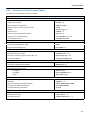
2. You can view the results of the build in the Output panel (View » Workspace Panels » System » Output).
1.5.1
Compiling a single source file
If you want to compile a single source file:
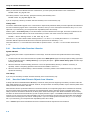
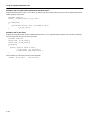
1. Right−click on the file (hello.c) you want to compile and select Compile Document hello.c. Alternatively, you can open a
file in the Text Editor and select Project » Compile Document hello.c.
2. Open the Messages panel to view any errors that may have occurred during compilation by selecting View » Workspace
Panels » System » Messages, or selecting System » Messages from the Panels tab.
3. Correct any errors in your source files. Save your project files.
1.5.2
Rebuiling your entire application
If you want to build your embedded application from scratch, regardless of their date/time stamp, you can perform a recompile:
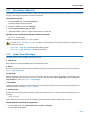
1. Select Project » Recompile Embedded Project GettingStarted.PrjEmb.
2. The TASKING program builder compiles, assembles, links and locates all files in the embedded project unconditionally.
You can now debug the resulting absolute object file GettingStarted.abs.
1−7