1
Content
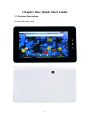
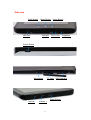
Chapter One Quick Start Guide ............................................................................ - 5 1.1 PRODUCT DESCRIPTION .....................................................................................- 5 Front and rear view .............................................................................................................. - 5 Side view .............................................................................................................................. - 6 -
1.2 ACCESSORIES .....................................................................................................- 7 1.3 INSTALLATION OF SIM CARD AND MEMORY CARD ............................................- 7 SIM card............................................................................................................................... - 7 Memory card ........................................................................................................................ - 7 -
1.4 CHARGING AND EARPHONE ...............................................................................- 8 Charging ............................................................................................................................... - 8 Earphone .............................................................................................................................. - 8 -
1.5 TURNING ON/OFF ..............................................................................................- 8 Turning on ............................................................................................................................ - 8 Turning off ........................................................................................................................... - 8 Dormant state ....................................................................................................................... - 9 -
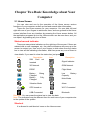
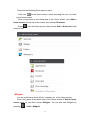
Chapter Two Basic Knowledge about Your Computer ..................................... - 10 2.1 HOME SCREEN .................................................................................................- 10 Status bar and indicator ...................................................................................................... - 10 Shortcut .............................................................................................................................. - 10 Widgets .............................................................................................................................. - 11 Wallpaper ........................................................................................................................... - 12 Touch Panel ........................................................................................................................ - 12 Main buttons ...................................................................................................................... - 13 -
2.2 VOLUME ..........................................................................................................- 14 Ringing Tone ...................................................................................................................... - 14 Media volume .................................................................................................................... - 15 Calling volume ................................................................................................................... - 15 -
2.3 CONTACTS .......................................................................................................- 15 Add a new contact .............................................................................................................. - 15 Edit / Delete a contact ........................................................................................................ - 16 Backup contacts ................................................................................................................. - 17 Import contacts................................................................................................................... - 17 Add contacts to Favorites ................................................................................................... - 18 -
Chapter Three Using Your Computer ................................................................. - 19 3.1 CALLING GUIDE...............................................................................................- 19 Make a phone call .............................................................................................................. - 19 Answer a phone call ........................................................................................................... - 19 Speaker ............................................................................................................................... - 19 Mute during calling ............................................................................................................ - 19 Teleconference ................................................................................................................... - 19 Call log ............................................................................................................................... - 20 -2-