1
E6GOLF
TRUGOLF
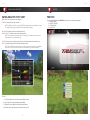
STARTING A NEW ROUND
STARTING A NEW ROUND
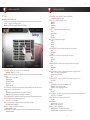
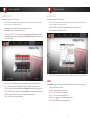
SETTINGS
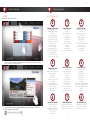
NAVIGATE to the SETTINGS screen
NOTE: There are multiple ways to navigate between screens: tap menu items, tap directional
arrows, or swipe in a horizontal direction.
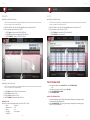
TAP ANY BUTTON TO CHANGE ITS DEFAULT SETTING
MULLIGANS - Mulligans are “do-overs” – re hit without penalty.
• Unlimited / None / 1 / 2 / 5 / 10
GIMMIE RANGE - Gimmie Range is the distance within which you automatically hole out with a
one-putt.
• Inside 2 / 4 / 6 / 8 / 10 / feet
• Player Decides
• Computer Decides
• Auto score
• Player Putts Out
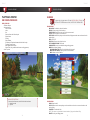
PUTTING ARROW - Shows the break and elevation changes between the ball and the hole. Red
indicates downhill, Green indicates uphill.
• Off
• Play Break - Aligns the Player to the hole, regardless of break.
• Align Break - Aligns the Player in the direction of the break.
PUTTING ARROW FADE - Specifies how long the Putting Arrow will be displayed before fading
away. Select Off to always display the Putting Arrow.
• Off / 3 / 5 / 7 / 10 / seconds
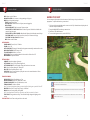
GRID - Overlays the terrain to highlight undulations and elevation changes.
• Off / Near Green / Always On
BALL SIZE - Changes the visibility of the golf ball.
• Small / Medium / Large
TERRAIN PENALTY - Imposes a spin modifier based on the grass type and location in the grass.
• Enabled / Disabled
7
PIN POSITIONS - 6 pin postitions for each level of difficulty
• Preset / Easy / Medium / Hard
TIME OF DAY - Changes the lighting schemes.
• Morning
• Midday
• Afternoon
• Evening
SKY TYPE - Changes the visual appearance of the sky.
• Clear
• Partly Cloudy
• Cloudy
• Random
WIND - Wind intensity effects ball flight
• None
• Breezy
• Windy
• Strong
GREEN HARDNESS - Amount of bounce the galf ball has on the green.
• Soft
• Moderate
• Hard
GREEN SPEED - Amount of roll the golf ball has on the green.
• Slow
• Medium
• Fast
FAIRWAY HARDNESS - Amount of bounce the galf ball has on the fairway.
• Soft
• Moderate
• Hard
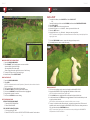
MAIN VIEW TRACER - A tracer is a colored line that shows the flight of the ball.
• Solid - Tracers stay permanently visible
• Comet - Tracers fade away
• Off
TOP VIEW TRACERS - A tracer is a colored line that shows the flight of the ball.
• Off / Solid
CAMERA
• Classic Mode - camera does not follow the ball
• Ball Mode - Camera follows the ball
• TV Mode - Camera shows different views
SOUND
• On / Off
AUTO CONTINUE - The length of time before the game automatically continues after a shot.
• Off / 3 / 5 / 7 / 10 / seconds
FLYBYS - These are aerial previews of each new hole.
• On / Off
MEASUREMENT
• Imperial - yards / feet / inches
• Metric - meters / centimeters
Elevation - Set the desired elevation
• Select Elevation - Select the desired elevation
• Course Elevation - Play at the actual course elevation
8