1
1
Installation
IXP220 Software Installation Procedure
Install the IXP220 Software Suite on a single Host PC as follows:
1. Insert the IXP220 Installation CD into the CD-ROM drive.
2. Select the Install IXP220 Suite option.
If the CD does not start up automatically, browse the CD in
Windows® Explorer and double-click Setup.exe.
3. Select English as the language option.
4. Click the OK button.
If no Database Server is present, one is installed. Follow the
onscreen instructions for this.
5. At the Introduction screen, click Next.
6. At the Licence Agreement screen, select the I Accept the Terms of
the Licence Agreement radio button.
7. Click the Next button.
8. At the Choose Install Folder screen, click Next.
If you change the installation directory file path, ensure that
you enter text only, NO spaces.
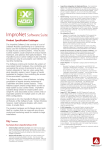
Figure 1 – Install Set Menu
ISW302-0-0-GB-00
March 2009
Page 2