1
 Power Supply The Power supply of 12 Volt DC supply capable of providing 1 Amp current and never use the power supply from Gate control panels as they may show a 12 Volt reading and initially Log on to the system, but can draw higher current when Network signal strengths drop and not only log off, but may also blow the fuses on the Gate control board as GSM Modems will draw excessive currents whilst searching for the network connections. Low Voltage 12 Volt Gate systems can in most cases be connected directly as they are normally connected to a permanent backup system being able to support the current required. n
o
i
x
le
p
m
Co
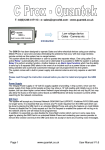
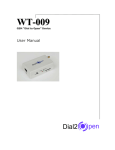
SIM Card The system will accept any Universal Network SIM Card and it is essential that you remove any Pin Code requests from the SIM Card which can be done by placing the SIM Card in an unlocked Mobile Phone and using the features on most Mobile Phones to disable the Pin Code request as if the Pin Request is enabled the system will not log on to the network and the unit will refuse to be programmed. In addition it is essential you also disable the Voice Mail function which can be in some case done again by placing the SIM Card in an unlocked Mobile Phone and contacting your service provider to remove this function and insure the SIM Card does not accept or store any incoming voice messages. Mobile Phone Credit It is also essential that the SIM Card is retained with enough credit at all times so as to be able to receive the SMS text alerts when making any changes to the system remotely even though the system will continue to perform and make the changes required although you just will not receive the confirmation text messages back from the unit. In addition the system will still operate by calling the unit and opening the Gate as there is no connection charge for using this function Installing the SIM Card and booting up the system To Install the SIM Card you will need use a small pointed screw driver and depress the small yellow button beside the SIM Card tray as labeled SIM Card and the SIM Card tray will pop out and you can remove the tray and locate the SIM Card in the holder and gently side the SIM Card tray back into its receiver slot. Don’t ever force the SIM Card tray or attempt to remove it out with a screw driver by levering it as you will only damage the unit and render it useless. The Red power light will come on and the Green network light will oscillate infrequently until it locates the network and once it has secured itself on the network the green Network light will flash every 4 seconds constantly. n
o
i
x
If this does not happen after say one minute the system has not logged on and you will need to check the SIM Card is positioned correctly and that the antennae is connected or it may be the signal area is too low. le
p
m
Co
Once the system is connected to the network it is now possible to actually Change the Password if required and then check the Signal Strength at the location using SMS Messaging. 2 | P a g e
User Manual V1.3 Updated Nov 2013