1
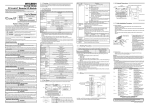
4.3.2 RESET/SELECT switch operation
RESET
Position
SEL.
Operation
RESET position
All LEDs turn off and the hardware is reset. *1*2
held
Reset is canceled. (Return the RESET/SELECT switch
to the center position.)
The module starts up in either of the following
operation modes depending on the
RUN/STOP/MODE switch position.
RESET
RESET position 1) In the case of the RUN/STOP position, the module
restarts from the OS and system software, and
canceled
starts up in the normal operation mode. (The MODE
LED is lit "green".)
2) In the case of the MODE position, the module starts
up in the hardware self-diagnostic operation mode.
(The MODE LED is lit "orange".)
When the switch is held in the SELECT position, the
Compact Flash Card is unmounted. *3*4
1) Hold the RESET/SELECT switch in the SELECT
position.
When unmounting is started with the switch held in
the SELECT position, the CF CARD LED of the C
Controller module flashes.
In normal
At this time, keep holding the SELECT position.
operation mode 2) When the unmounting is completed, the CF CARD
SELECT
LED stops flashing and turns off.
After the CF CARD LED has turned off, release the
switch from the SELECT position.
Unmounting is not complete if the switch is released
from the SELECT position before the CF CARD
LED turns off.
In hardware
Used by the hardware self-diagnostics function.
self-diagnostic
For the hardware self-diagnostic function, refer to the C
operation mode Controller Module User’s Manual.
*1 In a multiple CPU system configuration, reset CPU No.1.
*2 Before resetting, close all running user programs in the C Controller module.
Resetting the module while running any user programs may corrupt the user
programs and data files.
For details, refer to the C Controller Module User’s Manual.
*3 Perform this operation only when a file is not being written to the Compact Flash
Card. Unmounting the Compact Flash Card with the RESEET/SELECT switch
during file writing to the Compact Flash Card may corrupt the data on the Compact
Flash Card or cause a file system error.When removing the Compact Flash Card
during file writing, perform the stop processing of access to the Compact Flash Card.
For the access stop processing, refer to the C Controller Module User’s Manual.
*4 When the SELECT position is held in either of the following states, unmounting is
not executed.
• When no Compact Flash Card has been installed.
• When the Compact Flash Card has already been unmounted.
19