1
ursql
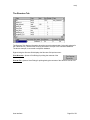
The Base Tabs
The base tabs make up the majority of the urSQL screen space. Each tab has a specific set of
controls. Each tab is discussed here…
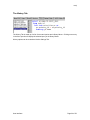
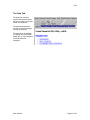
The Query/SQL Tab
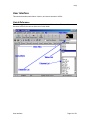
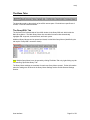
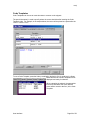
The first tab on the left-hand side of the urSQL window is the Query/SQL tab, which holds the
Main Query Memo. The Main Query Memo is a text-editor like memo that automatically
highlights SQL keywords, reserved words, and basic syntax.
Additional Query Memos can be opened and closed, but the Main Query Memo (identified by the
tab caption "Query/SQL" cannot be closed).
TIP: Multiple Query Memo's can be opened by clicking FileàNew Tab or by right-clicking any tab
and selecting "Open New Query Tab".
The Query Memo settings are consistent for each new Query Memo opened. Further information
about the settings can be found in the Query Memo Settings section and the General Settings
Section.
User Interface
Page 21 of 53