1
Transfer data to TTD USB Programmer
After Completing the environment profile programming, save the
modifications made on the programmer by clicking on ‘Save’ or by
selecting the ‘Save’ command in the ‘File’ menu. Then remove the
device from the USB port.
Transfer data to the TTD101 Thermostatic Head
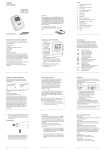
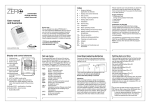
Insert the connector into the corresponding socket in the head. See
figure below:
Note: TTD USB Programmer must be disconnected from the computer while you are transferring heating profiles!
Cleaning
Clean only with a dry or slightly damp cloth. Do not use solvents as
they may damage the device
Warranty
http://www.ecodhome.com/garanzia-e-riparazioni.html
Disposal of Device
Do not dispose of the device or packaging with the household
waste, they can be sent for recycling. Contact your local council for
advice on recycling centres.
Note:
TTD USB Programmer allows programming of TTD101 thermostatic
heads with the port incorporated.
SmartDHOME Srl
www.ecodhome.com
info@smartdhome.com
Technical Data
The display shows ‘P01’, which indicates ‘Profile 1’. Select the environment profile to be used by the thermostatic heads by turning
the wheel / roundel. You will be able to access any environment
profiles defined using the PC soft ware.
Press OK button to transfer the data to TTD101.
As soon as the thermostatic head is programmed, the display
returns to normal.
Important: allow at least 10 seconds to transfer settings.
Commissioning the Head for First Time
A new device will be set on factory settings. Refer to TTD101 manual for set-up procedure.
• Press the Menu button, rotate the roundel until PROG displayed,
then press OK to enter current date and time, which is automati cally transferred to the head from the TTD USB Programmer.
• The motor nows move to the ON position for valve installation,
as shown on the display. For full instructions refer to the TTD101
manual.
• TTD101 is then ready to receive settings from the TTS USB
Programmer.
www.ecodhome.com
Power Supply:
5V DC, max. 100mA via USB port
Serial Ports:
PC:
TTD101:
USB 2.0
TTD101 programming port
System Requirements:
Windows XP o SP3
N° of time slots:
4 heating periods per day
LED functions:
Red LED on:
Green LED flashes:
Protection degree:
Ambient temperature:
Storage temperature:
Material:
Dimensions:
For United Kingdom and Ireland, refer to:
www.ecodhome.co.uk
the data on TTD SUB Programmer
must be updated
programmer is properly
connected to PC
IP30 in accordance with EN 60529
0°C to +50 °C
-20 °C to +70 °C
ASA Plastic
75 x 14 x 34 mm (H x W x L)
infosmartdhome.co.uk
Rev. 10/2014
P/N 01333-2500-00