1
Contents
Safety Precautions - - - - - - - - - - - - - - - - - - - - - - - - - - - - - - - - - - - - - I
Preface
P-1
P.1
P.2
P.3
P.4
P-1
P-1
P-2
P-3
About This Manual - - - - - - - - - - - - - - - - - - - - - - - - - - - - - - - - - - - - - - Product Outline - - - - - - - - - - - - - - - - - - - - - - - - - - - - - - - - - - - - - - - - - Required Operating Conditions - - - - - - - - - - - - - - - - - - - - - - - - - - - - - Required Hardware - - - - - - - - - - - - - - - - - - - - - - - - - - - - - - - - - - - - - - -
Chapter 1 Setup
1.1
1.2
1-1
Package Contents - - - - - - - - - - - - - - - - - - - - - - - - - - - - - - - - - - - - - - - Installation - - - - - - - - - - - - - - - - - - - - - - - - - - - - - - - - - - - - - - - - - - - - 1.2.1 Preparing for Installation - - - - - - - - - - - - - - - - - - - - - - - - - - - - - 1.2.2 Installing the KI-VISA Driver - - - - - - - - - - - - - - - - - - - - - - - - - - - 1.2.3 Installing Quick Immunity Sequencer - - - - - - - - - - - - - - - - - - - - -
Chapter 2 Overall Picture of Test Sequences
2.1
2.2
2.3
2.4
2.5
2.6
2.7
2.8
2.9
2-1
Outline of Immunity Test - - - - - - - - - - - - - - - - - - - - - - - - - - - - - - - - - - - 2-2
Test Configuration - - - - - - - - - - - - - - - - - - - - - - - - - - - - - - - - - - - - - - - - 2-3
Launching Quick Immunity Sequencer - - - - - - - - - - - - - - - - - - - - - - - - - 2-4
Setting up I/O Configuration - - - - - - - - - - - - - - - - - - - - - - - - - - - - - - - - - 2-5
Troubleshooting at Startup - - - - - - - - - - - - - - - - - - - - - - - - - - - - - - - - - - 2-6
2.5.1 Setting up KI-VISA - - - - - - - - - - - - - - - - - - - - - - - - - - - - - - - - - - 2-7
Overall Picture of Test Sequences - - - - - - - - - - - - - - - - - - - - - - - - - - - 2-10
Menus and Toolbar - - - - - - - - - - - - - - - - - - - - - - - - - - - - - - - - - - - - - - 2-12
2.7.1 Menus - - - - - - - - - - - - - - - - - - - - - - - - - - - - - - - - - - - - - - - - - - 2-12
2.7.2 Toolbar - - - - - - - - - - - - - - - - - - - - - - - - - - - - - - - - - - - - - - - - - 2-15
Running a Test - - - - - - - - - - - - - - - - - - - - - - - - - - - - - - - - - - - - - - - - - 2-17
2.8.1 Turning Power on/off in the Test Configuration - - - - - - - - - - - - - 2-17
2.8.2 Running Procedure - - - - - - - - - - - - - - - - - - - - - - - - - - - - - - - - - 2-18
2.8.3 Troubleshooting During Running - - - - - - - - - - - - - - - - - - - - - - - 2-19
2.8.4 Corrective Measures in the Event of Problems - - - - - - - - - - - - - 2-19
Observing a Test Signal - - - - - - - - - - - - - - - - - - - - - - - - - - - - - - - - - - 2-19
Chapter 3 IEC 61000-4-11
3.1
3.2
3.3
SD003-PCR-LA
3-1
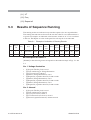
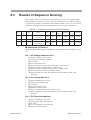
Outline of the Test - - - - - - - - - - - - - - - - - - - - - - - - - - - - - - - - - - - - - - - Preparing the Test Conditions - - - - - - - - - - - - - - - - - - - - - - - - - - - - - - 3.2.1 Voltage Dips and Short Interruptions - - - - - - - - - - - - - - - - - - - - 3.2.2 Voltage Variations - - - - - - - - - - - - - - - - - - - - - - - - - - - - - - - - - Results of Sequence Running - - - - - - - - - - - - - - - - - - - - - - - - - - - - - - -
Chapter 4 IEC 61000-4-13
4.1
4.2
1-2
1-2
1-2
1-3
1-6
3-2
3-3
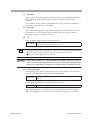
3-3
3-7
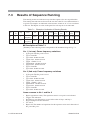
3-9
4-1
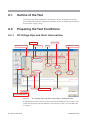
Outline of the Test - - - - - - - - - - - - - - - - - - - - - - - - - - - - - - - - - - - - - - - - 4-2
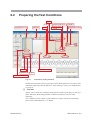
Preparing the Test Conditions - - - - - - - - - - - - - - - - - - - - - - - - - - - - - - - 4-3
Contents 3