1
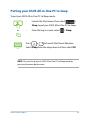
Turning your ASUS All-in-One PC
off
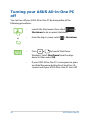
You can turn off your ASUS All-in-One PC by doing either of the
following procedures:
or
•
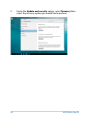
Launch the Start menu, then select
Shut down to do a normal shutdown.
•
From the log-in screen, select
•
Press
>
> Shut down.
to launch Shut Down
Windows. Select Shut Down from the dropdown list then select OK.
•
44
If your ASUS All-in-One PC is unresponsive, press
and hold the power button for at least four (4)
seconds until your ASUS All-in-One PC turns off.
ASUS All-in-One PC