1
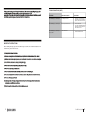
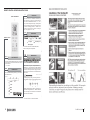
TROUBLESHOOTING (CONT.)
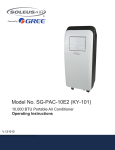
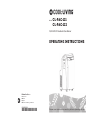
Thank you for choosing a Cool Living Air Conditioner. This owner’s manual will provide you with
valuable information necessary for the proper care and maintenance of your
new product. Please take a few moments to thoroughly read the instructions and familiarize yourself
with all the operational aspects of your new Portable Air Conditioner.
PROBLEM
POSSIBLE CAUSES
SOLUTIONS
The LCD Display is showing “E5”
Low Voltage Protection
x
Unplug for 10 minutes and then
turn on the unit. If “E5” is still displayed, contact customer service.
The LCD Display is showing “H8”
The backup water tank is full
x
x
Drain the water tank
If the “H8” I still displayed after the
water tank has been emptied, contact customer service.
The LCD Display is showing “F1”,
“F2”, or “F4”
Internal malfunction
x
Contact Customer Service
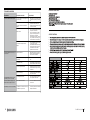
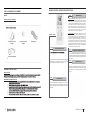
IMPORTANT INSTRUCTIONS
Before installing and using your portable air conditioner, please read this owner’s manual carefully. Store this
manual in a safe place for future reference.
1) Always place the unit on a level surface.
2) Never use or store gasoline or other flammable vapor or liquid near this unit unless instructed by this manual.
3) Maintain at least 12 inches (50 cm) clearance space around this unit. Do not block or cover air inlet or outlet grilles.
4) The unit must be connected to a correctly grounded power supply.
5) Do not start or stop the unit by inserting or pulling out the power plug.
6) Do not use an adapter plug or extension cord.
7) Do not use the unit in the immediate surroundings of a bath, a shower or a swimming pool.
8) Do not insert anything into the air outlet. Do not obstruct air inlet or outlet grills unless instructed by this manual.
9) Do not let children play near this unit.
10) Always inspect the cord for signs of damage before use. If the power cord is damaged, it must be replaced by the
manufacturer or a qualified service technician.
11) When cleaning the unit, always turn the unit off and unplug the power cord.
15
2
2
CL-PAC-121_122
15