1
Additional EtherNet/IP Tap Features
Chapter 4
IGMP Querier
This functionality is disabled by default. The IGMP Querier functionality
enables a 1783-ETAP, 1783-ETAP1F, or 1783-ETAP2F tap or switch, such as a
Stratix managed switch, to send out a query to all devices on the network to
determine what multicast addresses are of interest to a specific node or a group of
nodes.
IMPORTANT
We recommend that you enable the IGMP Querier functionality for at least
one node on the network. The 1783-ETAP, 1783-ETAP1F, or 1783-ETAP2F
taps, managed switches, and routers are examples of devices that support
IGMP Querier functionality.
If you do not enable the IGMP Querier functionality for at least one node on
the network, multicast traffic on the network can eventually create
network performance issues.
However, for all devices that you configure on the network with the IGMP
Querier parameter enabled, you must also set an IP address other than the factory
default value for those devices. If multiple devices on the network enable this
functionality, the node with the lowest IP address becomes the active IGMP
Querier node.
IGMP Version
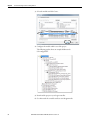
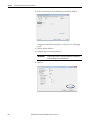
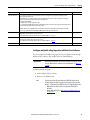
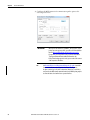
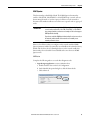
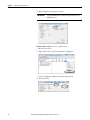
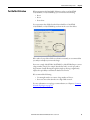
Complete the following tasks to access the Port Diagnostics tab.
• Logix Designer application, version 21.00.00 or later.
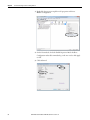
a. Double-click the device in the I/O Configuration.
b. On the Module Properties dialog box, click the Network tab.
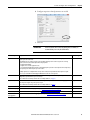
c. Click Advanced.
Rockwell Automation Publication ENET-AP005F-EN-P - October 2014
59