1
T-FLEX Analysis User Manual
saved together with the document and are inherited upon copying a study. The main purpose of this study
properties is defining the modes of the Processor's operation, as well as the lists of results and the number of
buckling modes displayable in the studies three after calculations.
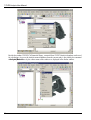
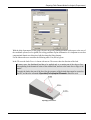
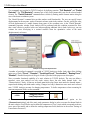
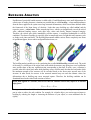
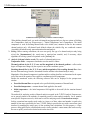
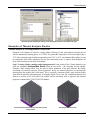
On the [General] tab, you can define or modify the descriptive properties of the current study: the name,
the study type, the comment.
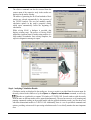
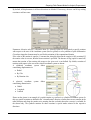
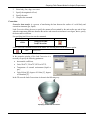
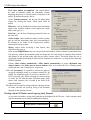
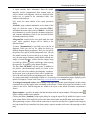
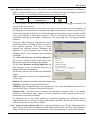
On the [Solve] tab, you can define processor properties for solving the equations.
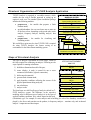
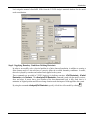
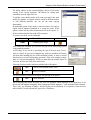
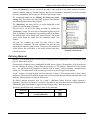
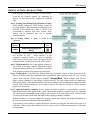
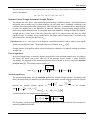
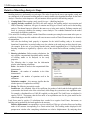
Number of buckling modes. The user can specify the
number of critical loads and respective buckling modes
to be identified. For practical purposes, the most
important is the first mode, corresponding to the
minimum critical load. Nevertheless, the user may also
find the critical loads of other buckling modes.
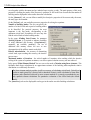
In the group «Finding State Forms» for parameter
«Solving System», it is required to indicate possibility
of using additional disk memory ([Customize]):
automatic, not available, mandatory. The use of
additional disk memory allows the user to save
decomposition of the stiffness matrix on the disk.
Relative miscalculation – the accuracy of determining
critical loads; upon reaching this accuracy, the iterative
process stops.
Maximum number of iterations - the critical number of iterations, after reaching which the iterative
solving of the system of equations terminates, even if the required solution accuracy was not achieved.
In the group “Finite-Element Method” the user can set the mode «Calculate using linear element». This
facilitates much faster calculation for an approximate estimate of the buckling mode amplitudes relative
distribution on a sufficiently fine mesh.
The linear element analysis provides insufficient accuracy of calculating critical loads. Critical load
results are much greater (by a factor of tens or hundreds of times) via the calculation by linear finite
elements, rather than those achieved by more accurate methods. It is strongly recommended to use
only quadratic element calculations for quantitative evaluation of the critical loads (the default
mode).
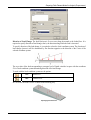
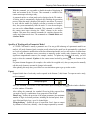
The [Results] tab sets the displayable result types in the studies tree after finishing calculations.
102