1
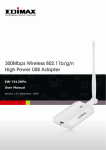
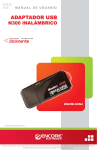
WU300N
User Manual
1 Introduction
1.1 Product Features
● Compliance with IEEE 802.11n, 802.11g,802.11b
● Data rates up to 300Mbps for 802.11n
● Strong network security with WEP,WPA, WPA-PSK, AES
● Windows XP/VISTA/7/Win8/Win8.1 compatible
1.2 System Requirements
● Windows XP/VISTA/7/Win8/Win8.1 operating systems
● PC with Pen0um 300MHz system or above
● 32MB RAM
● One available USB port
● One CD-ROM drive
Package Contents
WU300N Wireless USB Adapter
Installation CD (Drivers, Utility, User’s Manual)
QUG and Warranty
2 Installation Procedure
2.1 Driver and Utility Program Installation
Note: For proper operation, do not connect the Wireless-LAN USB Adapter to your
computer before you install the software. If you do, wait for the Found New Hardware
screen to display and click “Cancel”, otherwise, the installation process will likely be
adversely affected.
If you have installed other Wireless USB Adapter driver & utility before, please uninstall
the old version first.
2.1.2
Installation under Windows Win7/Win8/Win8.1
If the system does not install the driver automatically, please follow the below steps:
Use the Quick installation setup or you can execute the “Setup.exe” program inside the
CD, select the following
2