1
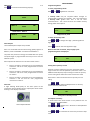
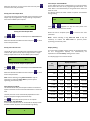
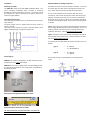
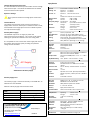
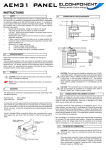
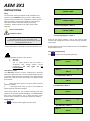
PROGRAMMING kW Displays Press 1.1 to select from the following displays; Programming Menu To enter programming mode: Hold Meter 1 kW 23.00 Active Power - Meter 1 Meter 2 and together for 5 Seconds. A Security Code may be required before changes to programmed parameters are allowed. This is only required if a Security Code greater than zero is set via serial communications. This is then stored in non-volatile memory during power interruptions. kW 23.00 P in Active Power - Meter 2 Meter 3 kW 23.00 1234 4 Digit Security Code To Enter the Security Code: Active Power - Meter 3 Press or digit first). Pulse Outputs to change each digit. (Lowest significant Three isolated pulse outputs are provided Press Pulse 1 is associated with the active energy (kWh) register of Meter 1, Pulse 2 with Meter 2 and Pulse 3 with Meter 3. When a valid code is entered, the first page of the programming menu is displayed. The pulse rate (amount of energy associated with each pulse) and pulse length is programmable and may be set to suit the external system. to select next most significant digit. CT Pulse outputs take the form of a volt free contact closure. Pulse 1 provides a momentary short circuit between contacts C and P1 for each programmed increment on meter 1. Pulse 2 provides a momentary short circuit between contacts C and P2 for each programmed increment on meter 2. Pulse 3 provides a momentary short circuit between contacts C and P3 each for each programmed increment on meter 3. Pulse LED A Light emitting diode (LED) on the front panel of the instrument remains ON during each output pulse of the meter showing on the display at the time. 100 Programming Menu First Page Setting the CT primary current External current transformers (CTs) are required to reduce large currents to a level accepted as inputs to the meter. The AEM 3X1 meter displays require scaling to match the primary current rating of the external Current Transformers used. Each meter in the unit uses the same CT primary current rating. Press or to select the Next/Previous CT Primary current from the preferred list. A CT 100 Setting The CT Primary Current Fine Adjust CT Primary If values other than those found in the preferred list are required use Fine Adjust Mode: Pulse Output Indicator Hold and together for 2 Seconds to select/deselect Fine Adjust Mode “CTF” . Press of 5A. or to increment the CT Primary current in steps