1
1: Installation and Configuration
Initial Setup
To get started using the HideShot software package, you must first install and unlock
the program, then connect it to the Autometrix vision module and run the calibration
process. If you already have HideShot installed, unlocked, and calibrated, you can skip
to the Operation section of this manual.
Installation and Unlocking
To install HideShot, download and execute the installation package from the Autometrix
website. An installation wizard will guide you through the process. Use the Autometrix
software unlock procedure to unlock the package as explained here:
http://docs.autometrix.com/documentation/software/unlock.html
Autonester Installation
Unlocking the Autonester features requires a USB key from Autometrix.
Connecting to the Vision Module
Your vision module is an Ethernet enabled device. This means that HideShot only
needs to know the address (URL) of the vision module in order to communicate with it.
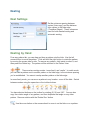
Click on the menu item ‘Settings, then click on ‘Camera’. The camera URL is found and
set by clicking the ‘Discover’ button in the dialog. The location of the calibration file is
set when you calibrate the vision module.