1
START USING THE WIRELESS HEADSET
1) Charging the headset (1.0A USB adapter to wall plug)
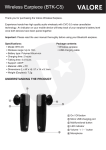
Make sure that the wireless headset is turned off before charging. Plug the micro USB cable
into the charging port located at the bottom right side of the Bluetooth headset and connect it
to a USB adapter (1.0A) to a wall plug. A red LED indicator will turn on when the headset is
charging. The red LED light will turn off when headset is fully charged. To fully charge the
headset, it will require at least 2 hours.
Caution: Do not use headset while it is being charged.
LED indicator status
• Blue (flashes rapidly) - Ready for pairing
• Blue (flashes slowly) - Successfully paired
• Red (flashes) - Low on battery, charging is required
• Red (solid) - Charging in progress
• Red (off) - Fully charged
2) Pairing and connecting (switched off)
Step 1: Press and hold the multi-functional button of the headset until the LED light flashes
Blue rapidly.
Step 2: Activate Bluetooth function on your mobile device to begin pairing with headset.
Step 3: Connect to the headset by selecting ‘Valore L5’ under the device list.
Step 4: Once connected, the LED light at the powerbutton will indicate Blue and flashes
slowly.
Note: If the pairing is not successful, please turn off wireless headset first and then re-pair again. After pairing
is successful, paired devices will remember each other. Unless pairing information is deleted because of new
pairing, no need to pair when using the next time.
If you want to pair the wireless headset with other devices, please turn off Bluetooth function of existing source
device, and pair the wireless headset with the new device according to steps 1-4 mentioned above.
3) Re-pairing the wireless headset
Each time the wireless headset is turned on, it will attempt to connect to the last device it was
paired with automatically (mobile device with Bluetooth function turned on).
The wireless headset will do as follows:
1. Connect to last connected devices automatically;
2. Be listed in the screen of devices as an output channel. Select ‘Valore L5’ as the output
channel to play music.
Note: In some cases, the headset may need to be manually selected from your operating system sound or
hardware output list.