1
4. Sensors
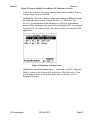
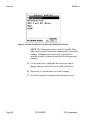
The Sensors screen allows the user to enable or disable each of the sensors
and select which membrane material will be used for the dissolved oxygen
sensor. Disabled sensors will not be displayed on the screen in real time or
logged to files.
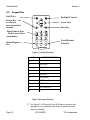
1. Press the On/off key to display the run screen.
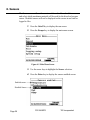
2. Press the Escape key to display the main menu screen.
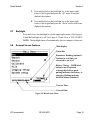
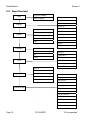
Figure 4.1 Main Menu Screen
3. Use the arrow keys to highlight the Sensor selection.
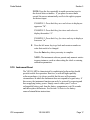
4. Press the Enter key to display the sensors enabled screen.
Enabled sensor
Disabled Sensor
Page 26
YSI 556 MPS
YSI Incorporated