1
your package should contain
user manual contents
features • 2
your new keyboard • 3
your new mouse • 4
connect hardware • 4
install software • 6
product operating tips • 9
troubleshooting • 10
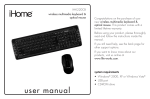
wireless multimedia keyboard
features
wireless
laser mouse
4 AAA
DURACELL®
batteries
installation CD
.
mini USB receiver
us e r manua l
2
user manual
(in your hands right now)
• plug-n-play—no synching needed
• high-resolution laser sensor
• programmable buttons—4 on
keyboard and 2 on mouse
• low battery indicator (mouse)
• cursor speed button—change mouse
sensitivity on the fly
• storage slot for mini USB receiver