1
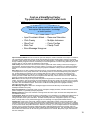
Cost as a Simplifying Factor
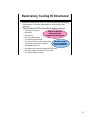
Try quick tests as well as careful tests
A quick test is a cheap test that has some value
but requires little preparation, knowledge,
or time to perform.
• Happy Path
• Tour the Product
•
•
•
•
•
•
Sample Data
Variables
Files
Complexity
Menus & Windows
Keyboard & Mouse
•
•
•
•
•
•
•
Interruptions
Undermining
Adjustments
Dog Piling
Continuous Use
Feature Interactions
Click on Help
18
Happy Path: Use the product in the most simple, expected, straightforward way, just as the most optimistic
programmer might imagine users to behave. Perform a task, from start to finish, that an end-user might be
expected to do. Look for anything that might confuse, delay, or irritate a reasonable person.
Documentation Tour: Look in the online help or user manual and find some instructions about how to perform
some interesting activity. Do those actions. Improvise from them. If your product has a tutorial, follow it. You
may expose a problem in the product or in the documentation; either way, you’ve found something useful. Even
if you don’t expose a problem, you’ll still be learning about the product.
Sample Data Tour: Employ any sample data you can, and all that you can—the more complex or extreme the
better. Use zeroes where large numbers are expected; use negative numbers where positive numbers are
expected; use huge numbers where modestly-sized ones are expected; and use letters in every place that’s
supposed to handle numbers. Change the units or formats in which data can be entered. Challenge the
assumption that the programmers have thought to reject inappropriate data.
Variables Tour: Tour a product looking for anything that is variable and vary it. Vary it as far as possible, in
every dimension possible. Identifying and exploring variations is part of the basic structure of my testing when I
first encounter a product.
Complexity Tour: Tour a product looking for the most complex features and using challenging data sets. Look
for nooks and crowds where bugs can hide.
File Tour: Have a look at the folder where the program's .EXE file is found. Check out the directory structure,
including subs. Look for READMEs, help files, log files, installation scripts, .cfg, .ini, .rc files. Look at the names
of .DLLs, and extrapolate on the functions that they might contain or the ways in which their absence might
undermine the application.
Menus and Windows Tour: Tour a product looking for all the menus (main and context menus), menu items,
windows, toolbars, icons, and other controls.
Keyboard and Mouse Tour: Tour a product looking for all the things you can do with a keyboard and mouse.
Run through all of the keys on the keyboard. Hit all the F-keys. Hit Enter, Tab, Escape, Backspace. Run
through the alphabet in order. Combine each key with Shift, Ctrl, and Alt. Also, click on everything.
Interruptions: Start activities and stop them in the middle. Stop them at awkward times. Perform stoppages
using cancel buttons, O/S level interrupts (ctrl-alt-delete or task manager), arrange for other programs to interrupt
(such as screensavers or virus checkers). Also try suspending an activity and returning later.
Undermining: Start using a function when the system is in an appropriate state, then change the state part way
through (for instance, delete a file while it is being edited, eject a disk, pull net cables or power cords) to an
inappropriate state. This is similar to interruption, except you are expecting the function to interrupt itself by
detecting that it no longer can proceed safely.
Adjustments: Set some parameter to a certain value, then, at any later time, reset that value to something else
without resetting or recreating the containing document or data structure.
Dog Piling: Get more processes going at once; more states existing concurrently. Nested dialog boxes and nonmodal dialogs provide opportunities to do this.
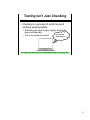
Continuous Use: While testing, do not reset the system. Leave windows and files open. Let disk and memory
usage mount. You're hoping that the system ties itself in knots over time.
18