1
OSD Menu
OSD Menu
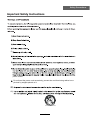
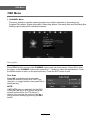
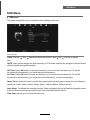
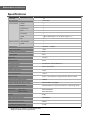
3. SOUND menu
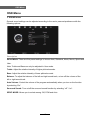
General sound settings can be adjusted according to the user’s personal preference with the
following options:
SPDIF MODE
PCM
Description
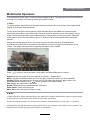
Sound Mode: There are five preset settings to choose from, Standard, Music, Movie, Sports and
User.
Note: Treble and Bass can only be adjusted in User mode.
Treble: Adjust the relative intensity of higher pitched sounds.
Bass: Adjust the relative intensity of lower pitched sounds.
Balance: To adjust the balance of the left and right sound track, or turn off the volume of the
left or right sound track.
Auto Volume: Control the volume of the program automatically when you turn on the function
by selecting “On”.
Surround Sound: Turn on/off the surround sound function by selecting “off” / “on”.
SPDIF MODE: Allows you to select among: Off, PCM and Auto.
17