1
•
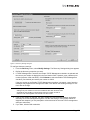
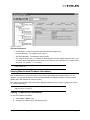
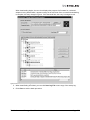
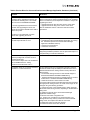
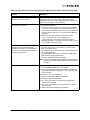
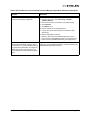
OS Device Name - The operating system device name.
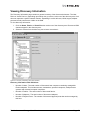
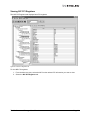
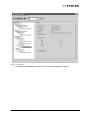
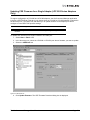
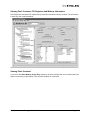
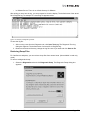
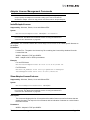
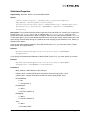
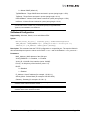
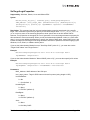
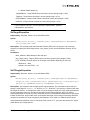
Viewing iSCSI Target Information
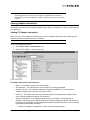
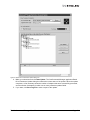
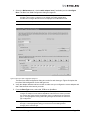
When you select a target associated with a iSCSI adapter from the discovery-tree, the Target
Information tab displays information associated with that target.
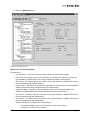
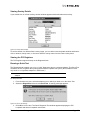
To view iSCSI target information:
1. Select Host view.
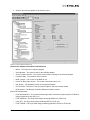
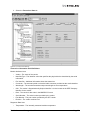
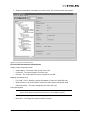
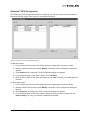
2. In the discovery-tree, select the iSCSI target whose information you want to view. The Target
Information tab appears.
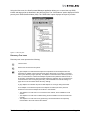
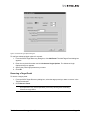
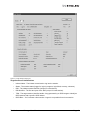
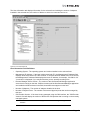
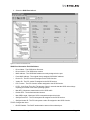
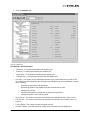
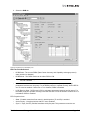
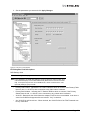
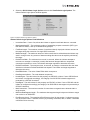
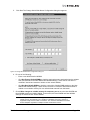
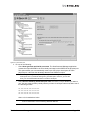
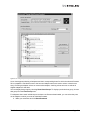
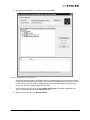
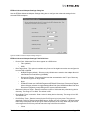
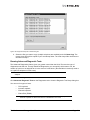
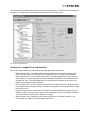
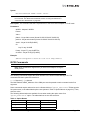
Figure 47: iSCSI Target Information tab
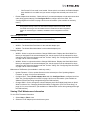
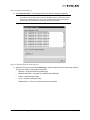
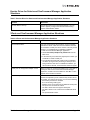
Target Information Field Definitions
•
Target iSCSI Name - The iSCSI name assigned to the target.
•
Target Alias - The iSCSI alias assigned to the target. This is assigned at the target portal, not by
the OneCommand Manager application.
•
ETO - (Extended Timeout Value) The ETO for the target. The driver will ensure that I/Os are not
“timed out” until this time has expired (from the time the target stopped responding). You can
change this value if you want.
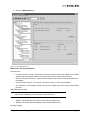
Target Portal Information Area
•
IP Address - The IP address through which the initiator communicates with the target.
The OneCommand Manager User Manual
Page 82