1
Point-It! USB Hardware Installation – Windows XP
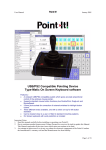
Windows will automatically detect when you plug the Point-It joystick into the
USB port of your computer. If the Human Interface Device driver necessary to
run USB pointing devices is not installed then Windows will run the “Found
New Hardware Wizard”
Click on “Install the software automatically” and then click “Next”. Windows
will automatically install the Human Interface Device (HID) driver.
Click “Finish” to finish installing the driver. The Point-It! Joystick is now ready
for use.
Page 3 of 4
October 2004