1
QUICK START MENU
6. QUICK START MENU
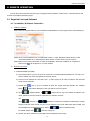
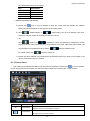
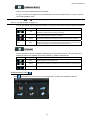
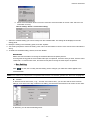
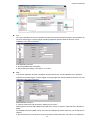
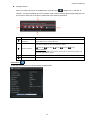
Press MENU” and enter the password to go to the quick-start menu list. The default admin password is 0000.
Users can change the password later. Please refer to the section “7.2 System Info” at page 30.
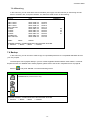
6.1 Status
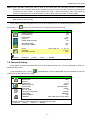
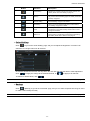
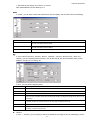
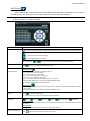
In this menu list, you can check and change some display settings.
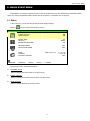
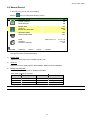
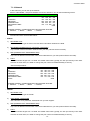
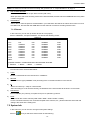
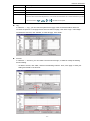
Move to
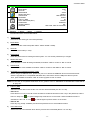
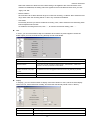
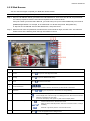
, and you will see the following screen:
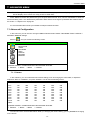
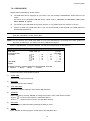
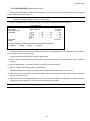
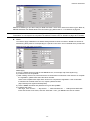
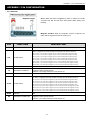
QUICK START
CHANNEL TITLE
EVENT STATUS
DATE DISPLAY
ON
ON
ON
IMAGE SIZE
QUALITY
IMAGE PER SECOND
CIF
BEST
100
RECORD TIMER
DETECTION TIMER
OFF
OFF
DATE
FORMAT
DAYLIGHT SAVING
ADVANCE
uv SELECT
s BACK
2008 / APR / 24
t NEXT
ENTER
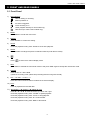
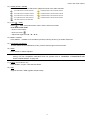
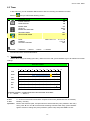
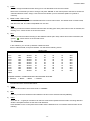
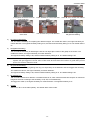
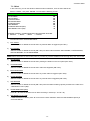
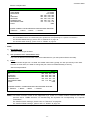
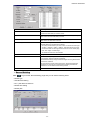
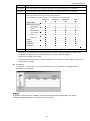
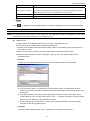
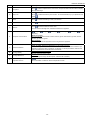
The submenu items are described below:
1)
CHANNEL TITLE
Select to display the channel title or not (ON / OFF).
2)
EVENT STATUS
Select to display the symbols of the event or not (ON / OFF).
3)
DATE DISPLAY
Select to display the date or not (ON / OFF).
-17-
10 : 20 : 24
Y/M/D
OFF