1
Redsail Laser machine user manual
3.2
Explanation for system function
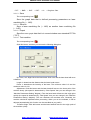
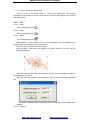
When you start software, you will see the interface as follows.
can be found on tool columns.
Save data
Set array word
Import data
Scale geometry
Edit tools bar
All system function
Optimize route
Set origin position
Layer tools bar
Test machine
Simulation
Status bar
Let mouse stay on an icon for a moment, and you can see the explanation of basic
function of tools bar. The following is the explanation of all tool columns.
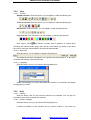
3.2.1
File
3.2.1.1 New
The corresponding icon is
.
Create a new file.
3.2.1.2 Open
The corresponding icon is
.
Load data that the software supports. The software can support ﹡.LAS、
http://www.hflaser.com
http://www.easycut.cn
Output