1
Switched-On Schoolhouse® 2014
Install and Setup Basics
Register By Telephone
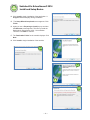
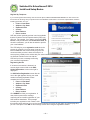
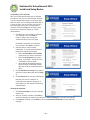
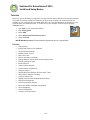
If you cannot register electronically, click the second option, I have no access to the internet. You then see the tollfree number to call along with your product name and installation serial number. The service representative needs the
following information from you:
•
•
•
•
•
•
First and Last Name
Address, City, State
Zip/Postal Code
Country
Email address
Phone number
AOP has several optional products / services available
that the Customer Service Representative (CSR) may
offer you. For example, if you want to receive the Daily
Focus, a daily devotional or the Homeschool View, an
electronic newsletter, you will also be asked to provide
your e-mail address.
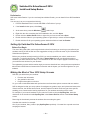
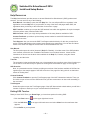
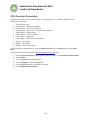
The CSR will give you a registration code when the
process is complete. You must enter it into the four
boxes in Item 4 on the screen exactly as given. We
recommend that you write it down and keep it in a
secure place, possibly on the sticker with your serial number in the front of this guide. Click OK when you
are finished. Remain on the line with the
CSR until you have a message confirming
your successful registration.
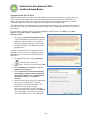
Registering On-line
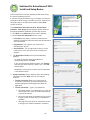
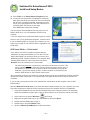
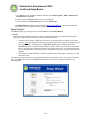
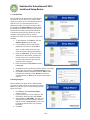
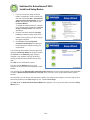
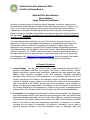
If an internet connection is detected, an
account login screen similar to the SOS
Online Registration screen to the right is
displayed.
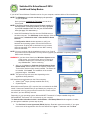
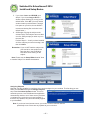
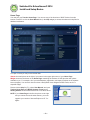
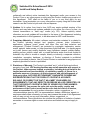
An SOS Online Registration screen like the
one to the right appears. Notice your serial
number is already populated. Please
complete the form by entering:
•
•
•
•
•
•
First and Last Name
Address, City, State
Zip/Postal Code
Country
Email address
Phone number
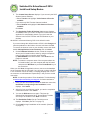
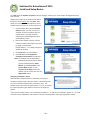
Click SUBMIT to finish your registration. A
new window opens with a message
confirming the successful registration of your
SOS software installation. This message
includes your registration code. Please, write
this number down and keep it in a secure location (like the front cover of this guide) or print the page and
put it in a safe place. Click OK on this message screen after noting the registration number.
~ 21 ~