1
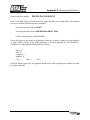
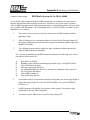
Appendix F Printing with Software Computer setup sample: IBM Mini's (System 34, 36, 38) & AS400 To use the Envelope Imager III with any IBM minicomputer or mainframe, it is necessary to interface through some kind of protocol converter. This may be one of two types of systems; either an IBM compatible micro with an emulation card, or a stand alone protocol converter such as is available from Black Box Corp. in Pittsburgh, PA (i.e., model PQ-6 RO). In either case the installation is very similar. 1. The protocol conversion device must be connected to the IBM computer with the appropriate cable. 2. After deciding on a free workstation address to be used for the Envelope Imager III, the system configuration must be altered to setup the workstation address and port as an IBM 5256 printer. 3. The emulation system must be setup at the same workstation address and must be setup for IBM Proprinter II emulation. For a system 36 installations with IBM advanced emulation, the following is the correct procedure to follow on the PC: A. B. C. D. E F. G. H. Boot the PC with DOS Running off the advanced emulation program disk, type "Config DP5250.dat" Select 2 Emulation sessions Select the appropriate keyboard Set workstation addresses for the two sessions, as configured on the system 36 Set 5256 Printer Emulation Select IBM Proprinter II Save profile data and exit 4. A procedure must be written and run which sets the printer port for the page length of 6 lines (Envelope Imager III with LCD SETUP MENU to set up the ADDRESS SETUP to 6). 5. An RPG program will probably be necessary on the system 36 to produce a data format that is "one-up" label compatible. 6. You may now print address lists on your Envelope Imager III. User’s Manual - Revision C Section F - 24