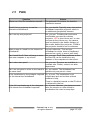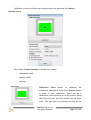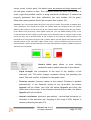
1
Every tool block (Color, Tool, Boards) can remain „closed” or „open” after
clicking in the block title.
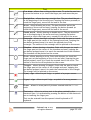
Description of the particular symbols on the toolbar
Start/stop the session
Opens the toolbar of the E-Chart software.
The present picture will be frozen and it will be possible to operate
graphically on it
Closes the E-Chart toolbar but keeps the session active.
Closes the E-Chart permanently. Interactive whiteboard will stop
working.
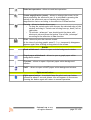
History
Allows to swap between screens which are being stored on line during
each session – i.e. till shut down of E-Chart application. Screens are
being stored automatically and can be edited.
Screens are saved as graphic png files and are being stored in the
catalog „Users/user_name/E-Chart Docs/date”.
There are max. 500 files to be stored during one session.
Pen
Allows to select writing style:
• pen – covering line
• marker – transparent line
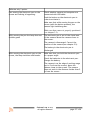
Size
Allows to select the line width of all graphic element like a free
draw, a straight line, an arrow, a triangle, a rectangle.
Color
Allows to select color.
The chosen color is obligatory for all graphic functions
funtronic sp. z o.o.
all rights reserved
page: 21 z 30