1
BOSS 3.0 Software User’s Manual
Page 30
9.1.4. DEFINING HOTLIST SOURCE CREDENTIALS
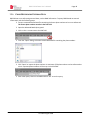
Some sources will require credential settings (e.g. login information) in order to allow BOSS to access that
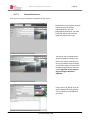
data. To enter the credential settings, in the Hotlist Source screen, click the Credentials button.
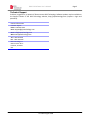
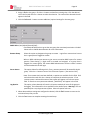
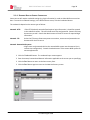
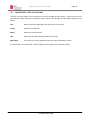
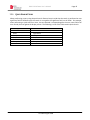
The credentials depend on the source type as follows:
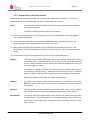
Network -HTTP
If the HTTP (website) source defined requires login information, it should be entered
in the credential section. This will include username and password. Domain field may
be necessary as well. Consult the administrator of the HTTP source for required login
information.
Network- FTP
Unless the FTP server allows anonymous connections, username and password must
be entered for the FTP source.
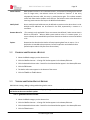
Network -Remote BOSS system
A login name and password valid on the remote BOSS system must be entered. (as in
remote sites configuration). Consult the administrator of the remote BOSS system for
username/password.
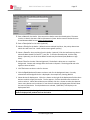
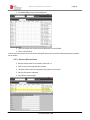
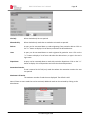
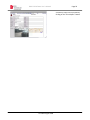
Click the Credentials button. The credential input screen appears.
Enter Username, Password and Domain information applicable to the source you are specifying.
Click the Back button to return to the Source entry form.
Click the Back button again to return to the New Hotlist entry screen.
© Federal Signal 2009