1
1.0
OVERVIEW
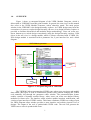
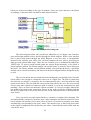
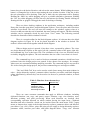
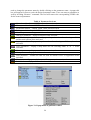
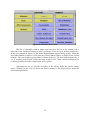
Figure 1 shows a conceptual diagram of the VHDL Module Generator, which is
abbreviated as VHDLMG from this point onwards. In general, the term ‘tool’ in this manual
also refers to the VHDL Module Generator, unless otherwise stated. The main project
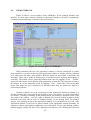
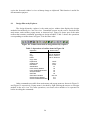
window in the VHDLMG is the design hierarchy explorer. As VHDL design entry lacks the
convenience for users to explore design hierarchy, the tree view design hierarchy explorer is
provided to facilitate hierarchical and modular design methodology. Users can create topdown, bottom-up or mixed design conveniently using the design hierarchy explorer. Each
object in the tree view is a design module, which is always associated with a VHDL file.
Each design module is associated with a parameter list, a port interface list, and a block
diagram.
VHDL Module generator
Parameter Editor
Design Hierarchy Explorer
Interface Editor
Synthesizable
VHDL
Block Diagram Editor
User VHDL
entry
Module
Library
Figure 1: Conceptual diagram of VHDLMG
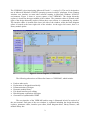
The VHDLMG allows parameterized VHDL entry where users can insert and modify
data widths, data types as well as architectural options easily without changing the VHDL
code manually, but through the parameter editor window. The parameterization feature
enables creation of dynamic module library, where users can create user-defined library
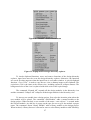
modules for future reuse. The interface editor window enables insertion, modification, and
viewing of port interface of VHDL entities. This feature eliminates VHDL text coding of port
list. Block diagram editor window provides a more intuitive and realistic pictorial view of
designs. The output of the tool is synthesizable VHDL code. The tool will generate the
VHDL source codes in synthesizable form.
1