1
CONTENTS
Introduction .................................................................................................................................................. 4
How Does the Cellular Alarm Work .......................................................................................................... 4
What Comes With Your Cellular Alarm ..................................................................................................... 5
Getting to Know Your Cellular Alarm ........................................................................................................ 6
Installation .................................................................................................................................................... 7
1. Device Activation .................................................................................................................................. 7
2. Install Backup Batteries......................................................................................................................... 8
3. Reinstall Cover ...................................................................................................................................... 9
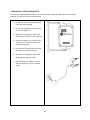
4. Mount the Cellular Alarm ................................................................................................................... 10
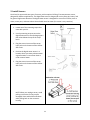
5. Install Sensors ..................................................................................................................................... 11
Configuration .............................................................................................................................................. 12
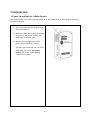
1. Power On and Wait for Cellular Service .............................................................................................. 12
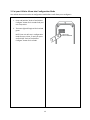
2. Put the Cellular Alarm in Configuration Mode ................................................................................... 13
3. Configure Notification Phone Numbers .............................................................................................. 14
4. Configure the Name of Your Cellular Alarm ....................................................................................... 15
5. Exit Configuration Mode ..................................................................................................................... 16
Testing Your Cellular Alarm......................................................................................................................... 17
1. Test Your Cellular Alarm...................................................................................................................... 17
2. Test Your Sensors ................................................................................................................................ 18
3. Test Your Backup Batteries ................................................................................................................. 18
4. Testing is Complete ............................................................................................................................. 20
Advanced Configuration ............................................................................................................................. 21
Contractor Name and Contact Configuration ......................................................................................... 21
Configuration Switches ........................................................................................................................... 21
Sensor Options ........................................................................................................................................ 22
Water Conductivity Sensor or Float (default) ..................................................................................... 22
Low Temperature Sensor .................................................................................................................... 23
General Operation ...................................................................................................................................... 24
Sensor Inputs .......................................................................................................................................... 24
Backup Battery Operation ...................................................................................................................... 24
2