1
®
21
Operating from a Keypad
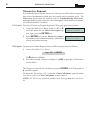
Overtime Request
If the Auto-Arm option is enabled, and the system is programmed to Arm automatically at a set Time, the Overtime request option will allow you to postpone the
Auto-arming Time.
The Overtime request must be made in steps of 30 minutes.
Overtime requests cannot go past midnight (00:00 on the Timer). If you
attempt to postpone Auto-arming until after midnight, the Control panel will
carry out the request until 23:59 and then will Arm automatically at midnight.
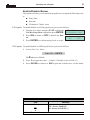
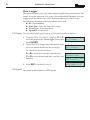
LCD Keypads To make an Overtime request from an LCD keypad, proceed as follows:
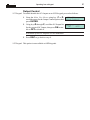
1. From the User Menu, using key C or D, scroll the
menu for the Overtime request option, then
press ENTER.
USER MENU
ßà
Overtime request
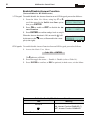
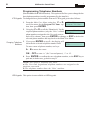
2. Press ENTER to activate the Overtime re- Overtime request
quest. Acceptance of the command will be con- Operation done
firmed by a beep and a short message.
LED Keypads To make an Overtime request from an LED keypad, proceed as follows:
1. Access the User Menu.
Code PIN + ENTER
The P indicator will blink.
2. Press 3 to activate the Overtime Request, or ESC to quit and, in both cases,
exit the Menu.
NOTE - If the Auto-Arm option has been disabled (refer to ‘Enable/Disable
Auto-arm’ in this section), the Overtime request will be ignored, however, the
LCD keypad will still emit a beep.