1
Alphanumeric Pager User Manual
² Backlight function;
² Out of service area indication
² Low battery voltage indication;
² Alert mode: audio/melody/vibration/silent;
² Display contrast adjustment (1 ~ 8 degrees);
² When receiving an error message, it will be reverse video on screen;
3 Description of Symbols:
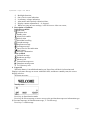
Indication symbols:
Audio alert
Vibration alert
Standby state
Alarm clock enable
Melody alert
Horizontal scrolling
Unread message
Duplicate message
Locking message
Out of service area indication
Low battery
Message continuation
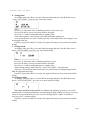
State symbols
Personal message
Broadcast message
Memory full
P Personal message area
M Broadcast message area
T Tel. Directory area
4 Pager ON
When the battery is installed and turning on, Pager first self-check its functions and
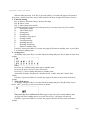
Displays welcome message at screen with audio alert, and then to standby state, the screen
display as below:
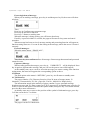
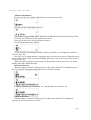
Welcome message:
Standby state:
Then
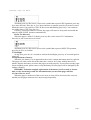
Press key A: Start function mode
Press key B: Select message or move cursor to the position that expresses information type
(P: Personal message, M: Broadcast message, T: Tel directory);
Press key C: read message
Page 2