1
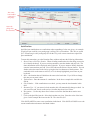
Enter Family Members Information
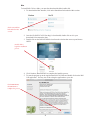
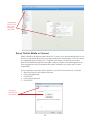
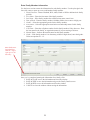
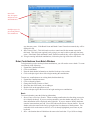
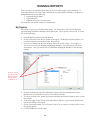
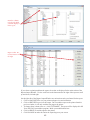
Use the lower section to enter the information for each family member. Use the plus sign in the
lower left corner to open up a row to add another family member.
1. Family Position - Choose Husband, Wife, Adult, Youth or Child to indicate their family
position.
2. First Name – Enter the first name of the family member.
3. Last Name – If the family member has a different last name, enter it here.
4. Date of Birth – Enter the family member’s birthday. Make sure to enter a 4 digit year.
5. Gender – Select the appropriate gender for the family member.
6. Association – Select the appropriate association or membership status for this family
member.
7. Cell Phone – Enter the cell phone number for this family member if they have one. Enter
the last name for the family, or organization name if you are entering a business.
8. Marital Status – Indicate the marital status for this family member.
9. Grade – If the family member is in elementary, middle or high school, enter their grade.
Values accepted are K – 12.
Enter family member information.
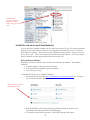
Click the + sign to
open up a row for
data entry.
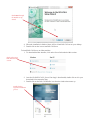
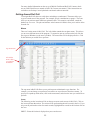
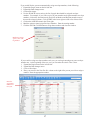
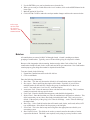
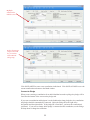
Once you’ve completed entering the information for a family, click:
1. SAVE & CLOSE to save the information and close the window.
2. SAVE & VIEW to save the information and go to the Family Details screen.
3. SAVE & NEW to save the information and clear the window.
4. CANCEL to close the window without saving the information.
21