1
Welcome
We hope you share our dream for the television industry to become a truly
creative industry by allowing anyone to have access to the highest quality video.
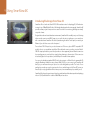
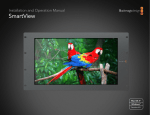
Video monitoring is needed everywhere in a facility. SmartView 4K has a native
4K LCD so you can monitor Ultra HD video in full resolution, plus a sleek 6RU
housing with a control panel that lets you quickly change settings. SmartView
HD provides an amazing 17" LCD in a 6RU rack housing less than an inch thick.
SmartView Duo provides two completely independent and beautiful 8 inch
LCDs in a 3RU rack housing less than an inch thick. SmartScope Duo 4K features
two independent 8" LCDs with waveform scope functionality, allowing you to
monitor your video levels on the fly. All SmartView monitors support SD, HD
and 2K video via 3G-SDI. SmartScope Duo 4K and SmartView 4K also support
Ultra HD 4K via 6G-SDI and 12G-SDI respectively!
Video monitoring is designed to work straight out of the box and our
Blackmagic SmartView setup software provides the user with an easy and
intuitive configuration tool.
This instruction manual should contain all the information you’ll need on
installing your SmartView or SmartScope, although it’s always a good idea to
ask a technical assistant for help if you are not sure what IP addresses are, or if
you don’t know much about computer networks. SmartView and SmartScope
are easy to install, however, there are a few slightly technical preferences you
may need to set after you install it.
We think it should take you approximately 5 minutes to complete Installation.
Please check our website at www.blackmagicdesign.com and click the support
page to download the latest updates to this manual and SmartView software.
Lastly, please register your unit when downloading software updates so we can
keep you updated when new software is released. We are constantly working
on new features and improvements, so we would love to hear from you!
Grant Petty
CEO Blackmagic Design