1
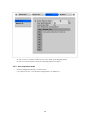
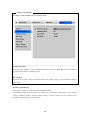
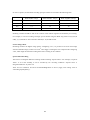
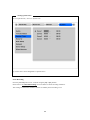
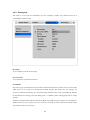
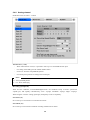
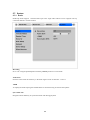
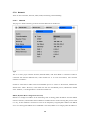
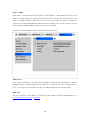
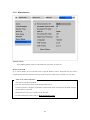
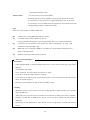
In case of “Speed”, the maximum recording speed per channel is restricted as the following table.
HVR-08(Max. 60ips)
HVR-16E(Max. 120ips)
HVR-16Q(Max. 240ips)
2ch
30
30
30
4ch
15
30
30
8ch
7.5
15
30
16ch
-
7.5
15
Reducing a channel should be “Off” at the “Camera” menu without regard to the availability of recording.
For example, in case of recording 30 images per all channel using 8ch HVR-16Q, both even(2,4,6,8) &
odd(1,3,5,7) channel be “Off” and other channels(9~16) should be used.
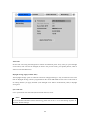
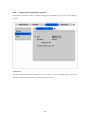
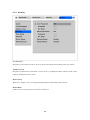
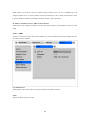
Clearer Image Mode
Recording mode for the highest image quality. Configuring “On”, it is possible to record an clear image
without remainder image, but has twice to 20th times bigger recording file size compared with configuring
“Off”, which might be reduced recording frame rate according to the condition.
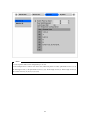
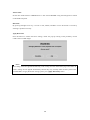
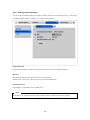
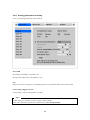
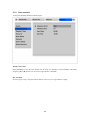
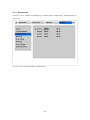
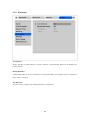
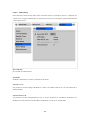
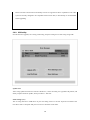
Special Time Recording
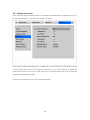
This menu is to designate different recording conditions during “Special Times.” For example, if “Special
Times” is set at the weekday, it can be recorded by two recording conditions. “Special Time” is
designated under the “System” tab.
There are five conditions; No Rec./Low/Standard/High/Same as above (Apply same setting value as
“Recording Speed/Quality”).
41